So, what exactly is Change Data Capture? At its core, CDC is a way to track and capture only the changes happening in your source database—every new record, update, and deletion. It’s a smarter approach than the old-school method of repeatedly copying your entire dataset from one place to another.
Understanding Change Data Capture
Think of it like this: imagine you have a security guard watching a bank vault. Instead of doing a full, painstaking inventory of every single dollar bill every hour, the guard just keeps a log of what comes in and what goes out. That’s CDC in a nutshell. It’s a far more efficient way to keep tabs on your data.
For years, the go-to method for moving data was traditional batch processing, what we often call ETL (Extract, Transform, Load). This process is like taking a giant snapshot of your entire database—say, every night at midnight—and shipping it over to your data warehouse. While it gets the job done, it comes with some serious baggage:
- It’s Slow: The data sitting in your analytics warehouse is always hours, or even a full day, behind reality.
- It’s a Resource Hog: Copying huge tables puts a massive strain on your production database, which can slow down the very apps your business relies on.
- It’s Wasteful: You’re burning through network bandwidth and processing power to move a ton of data that hasn’t even changed.
CDC completely flips that model around. It acts more like a live stream, capturing each individual change as it occurs and sending a tiny, lightweight event to its destination. This continuous flow of updates means that your downstream systems, like a Snowflake data warehouse, stay perfectly in sync with your source systems, like Salesforce.
By focusing only on what’s different, CDC gives you a near real-time view of your data without bogging down your primary systems. It’s the difference between getting a newspaper delivered once a day and receiving live news alerts on your phone the moment a story breaks.
This move from clunky, scheduled data dumps to a continuous, event-based flow is a game-changer for any company that needs fresh data to make sharp decisions, run real-time analytics, or create responsive customer experiences.
Change Data Capture vs Traditional Batch Processing
This table breaks down the key differences between CDC and traditional batch ETL, highlighting CDC’s efficiency for modern data needs.
| Concept | Change Data Capture (CDC) | Traditional Batch ETL |
|---|---|---|
| Data Scope | Captures only incremental changes (inserts, updates, deletes). | Copies the entire dataset during each run. |
| Latency | Near real-time, with updates in seconds or minutes. | High, typically hours or even a full day. |
| System Impact | Minimal load on the source database. | High resource consumption (CPU, I/O). |
| Data Freshness | Data is always up-to-date and ready for analysis. | Data is stale by the time it’s available. |
Ultimately, the choice between these two methods boils down to how much you value speed and efficiency. For modern operations that can’t afford to wait, CDC is clearly the way forward.
How Different CDC Methods Work
Not all Change Data Capture is created equal. Think of it like getting news updates: you could get an instant push alert on your phone, read a daily newspaper summary, or just ask a friend “what’s new?” every few minutes. Each method gets you the information, but their speed, detail, and the effort required vary dramatically. The same is true for CDC.
Understanding these different approaches is the first step to picking the right one. The method you choose directly impacts your source system’s performance, how fresh your data is, and just how complicated the setup will be. Let’s break down the three most common ways CDC gets done.
Log-Based CDC: The Gold Standard
Log-based CDC is widely considered the best-in-class approach for modern data pipelines. It works by reading directly from the database’s own transaction log—think of it as the database’s internal “flight recorder,” like a redo log in Oracle or a binlog in MySQL. This log meticulously records every single transaction—inserts, updates, and deletes—to ensure the database can recover and maintain its integrity.
By tapping directly into this native log, the process captures changes without putting any real load on the production database. It’s non-intrusive, incredibly efficient, and snags every event in the correct order with almost no delay.
This method is the clear winner for performance and reliability. It’s like having a direct, live feed from the source, guaranteeing you never miss a single detail the moment it happens. It’s perfect for high-volume, mission-critical systems.
Trigger-Based CDC: The Event Alarm
Another popular method is trigger-based CDC. This approach uses database triggers—small pieces of code that automatically execute when something specific happens. You’d create an INSERT, UPDATE, and DELETE trigger on each table you want to watch.
When a change occurs on a monitored table, the corresponding trigger fires and writes a copy of that change event into a separate “changelog” or “history” table. Your CDC process then just reads from this secondary table to get the latest updates.
While it’s great at capturing all types of changes in near real-time, this method has one big catch: performance overhead. Because these triggers run with every single transaction, they add computational load directly onto your source database. Under heavy traffic, this can really slow things down.
Query-Based CDC: The Constant Polling
Finally, there’s query-based CDC, which is often just called polling. Conceptually, it’s the simplest of the bunch. It works by repeatedly running a query against the source table to check for new or modified rows.
This is usually done by looking at a timestamp column like LAST_MODIFIED or a version number. For example, a process might run every five minutes and ask the database, “Show me all the rows that have been updated since my last check.”
The main issues with this approach are pretty clear:
- High Latency: Your data is only as fresh as your polling interval. If you poll every 5 minutes, your data is always at least 5 minutes old.
- System Strain: Constantly querying large tables, even with indexes, can consume a surprising amount of database resources.
- Missed Deletes: This is the killer. It simply cannot capture hard
DELETEoperations because once the row is gone, it’s not there to be queried.
Comparing CDC Implementation Methods
Each of these methods comes with its own set of trade-offs. The right choice depends entirely on what you’re trying to achieve, your source system’s limitations, and how much real-time data you actually need. This table breaks down the core differences at a glance.
| CDC Method | How It Works | Performance Impact | Latency | Best For |
|---|---|---|---|---|
| Log-Based | Reads change events directly from the database’s native transaction log (e.g., binlog, redo log). | Very Low | Near real-time | High-volume, mission-critical systems where performance and accuracy are key. |
| Trigger-Based | Uses database triggers on tables to write change events to a separate history or “changelog” table. | Medium to High | Near real-time | Scenarios where log access isn’t possible but real-time data is still needed. |
| Query-Based | Periodically polls source tables using a timestamp or version column to find updated or new rows. | High | High | Low-volume systems or use cases where some data delay is acceptable. |
Ultimately, while query-based and trigger-based methods have their place, log-based CDC has become the go-to for building robust, scalable data pipelines.
This visual helps show the fundamental shift from bulky batch processing to the much more elegant, streamlined approach of CDC.

The image really highlights how CDC focuses on capturing individual changes efficiently, which helps you avoid the resource-hogging, full-table scans that define traditional ETL. This efficiency is what makes modern, event-driven systems possible, and having the right tooling is central to that. To see what’s out there, you can explore some of the best data orchestration tools available today.
The Business Impact of Using CDC
Okay, so we’ve covered the technical side of Change Data Capture. But let’s get to the real question: why should you actually care? Why are so many companies weaving CDC into the very fabric of their data strategy?
It’s about much more than just moving data efficiently. Adopting CDC fundamentally changes how a business operates, directly hitting the bottom line by boosting revenue, slashing operational costs, and turbocharging decision-making. Think of it less as a tool for engineers and more as a launchpad for business agility.
The most powerful, in-your-face benefit is real-time analytics. In a world where customer sentiment can change with a single tweet, making decisions on yesterday’s data is a recipe for disaster. It’s like trying to navigate a racetrack by only looking in the rearview mirror.
With CDC, fresh data from your core systems—like Salesforce—is constantly streaming into your data warehouse. This gives your leadership team a live, up-to-the-minute dashboard of what’s actually happening in the business, right now.
Unlock Agility and Reduce Costs
This live feed allows you to pounce on opportunities and squash threats in minutes, not days.
Imagine a retailer instantly updating its website inventory the second an item is scanned at a physical checkout. No more overselling, no more angry customers. Or think of a fintech company flagging and freezing a fraudulent transaction as it happens, not after the money is already gone. That’s the kind of agility that saves millions.
But it’s not just about speed. CDC is also a massive cost-saver. Old-school batch jobs are resource hogs. They hammer your production databases and clog your network every time they run.
By only sending tiny, incremental updates, CDC dramatically cuts down on the CPU load and network traffic needed for replication. This doesn’t just lower your cloud bill; it keeps your critical business applications running smoothly without performance hits.
By ensuring data is consistent and fresh across all systems, CDC builds a foundation of trust. When your analytics dashboards, marketing automation platforms, and financial reports all pull from the same reliable, up-to-the-minute data, your entire organization can operate with greater confidence and alignment.
Powering Modern Data-Driven Operations
The rapid embrace of CDC isn’t just a trend; it’s a reflection of its central role in modern data stacks. The global market for CDC tools was valued at $245.3 million in 2022 and is on track to explode to over $1.1 billion by 2030.
What’s driving this? The massive shift to the cloud and the simple fact that real-time data is no longer a luxury—it’s a requirement for everything from operational dashboards to sophisticated AI models.
This constant, reliable stream of data is the fuel for modern business. Marketing teams, for instance, can trigger campaigns based on the very latest customer actions, which is the core of effective data-driven marketing solutions.
When every team is working from a single source of truth that’s always current, the entire company becomes smarter, faster, and far more effective.
Practical Use Cases for CDC
Alright, enough with the theory. Let’s talk about where the rubber meets the road. Change Data Capture isn’t just an abstract concept; it’s the quiet engine running behind many of the smooth digital experiences we’ve come to expect. Businesses are using it right now to tackle some seriously thorny data problems and make their operations more responsive.
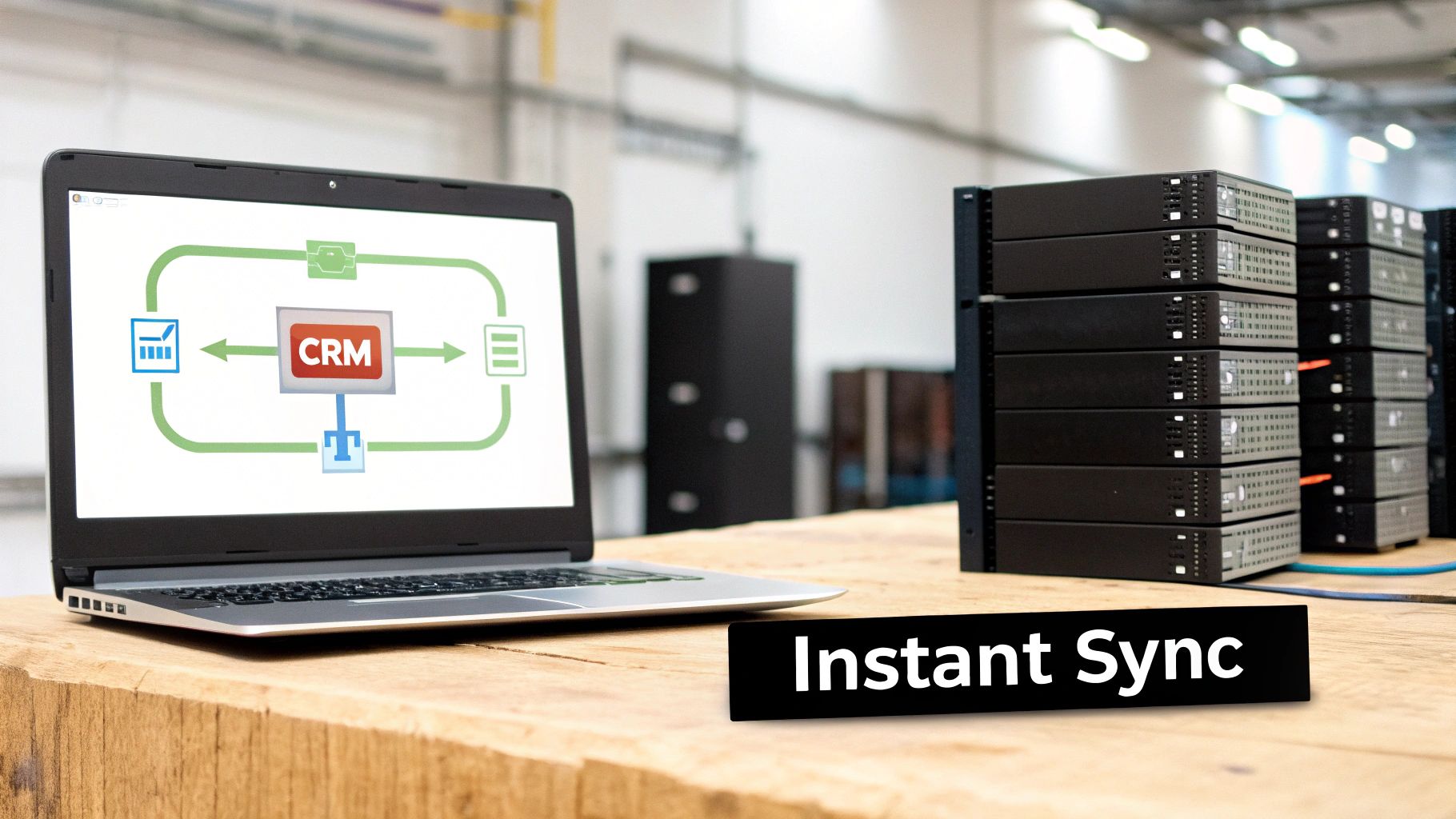
One of the biggest and most immediate wins is getting data out of an operational system like Salesforce and into a data warehouse like Snowflake. If you’ve ever tried to run deep analytics directly on your CRM data, you know the pain.
Traditional batch exports are clunky and slow. And constantly polling the Salesforce API to ask “anything new yet?” is a surefire way to blow through your daily rate limits and break other critical integrations. CDC cuts right through that mess. By only sending the changes, it sidesteps API limits and keeps your Snowflake data fresh, practically in real-time. This means you can run huge, complex queries on your sales data without ever slowing down the Salesforce app for your reps.
Powering Real-Time Business Operations
Beyond just warehousing, CDC is the backbone for a ton of other critical tasks. The end goal is always the same: make sure different systems are all looking at the same, up-to-the-minute version of reality.
Here are a few common scenarios:
- Zero-Downtime Database Migrations: Ever tried moving from an old on-premise database to the cloud? It can be a nightmare. CDC lets you keep the old and new systems perfectly in sync during the move, so you can switch over at the right moment without any service interruption.
- Keeping Microservices Aligned: In modern applications, different services often have their own little databases. CDC acts as the communication layer, ensuring that when one service makes an update, all the other services that depend on that data know about it instantly. No more data drift.
- Live Business Intelligence Dashboards: A sales leader doesn’t care about yesterday’s pipeline. They need to know what’s happening now. CDC is what feeds tools like Tableau or Power BI with a live stream of data, turning static reports into dynamic, actionable dashboards.
By capturing every event as it happens, CDC allows businesses to move from reactive analysis to proactive action. It’s the difference between reading a history book and having a live news feed for your own operations.
Unlocking Advanced Automation and Analytics
Once you have data flowing continuously between systems, you can start building some really powerful automations on top of it.
For instance, that constant stream of customer activity from your CRM can trigger highly personalized marketing campaigns the moment a lead takes a specific action. You can see how various marketing automation integrations come to life when fueled by real-time data, creating truly relevant customer journeys.
This live feed is also gold for machine learning. Think real-time fraud detection, dynamic product recommendations that change as a user browses, or predictive models that can flag a customer at risk of churning. In every case, the real value comes from acting on the most current information possible—a superpower that CDC directly provides.
Solving Advanced CDC Challenges
Getting a basic CDC pipeline up and running is one thing. Making it tough enough for the real world is a whole different ball game. Production systems are messy and always changing, which throws some serious technical curveballs your way. The difference between a fragile pipeline that needs constant hand-holding and a resilient, self-healing one comes down to how well you handle these challenges.
Two of the biggest hurdles you’ll absolutely face are schema evolution and idempotency. They might sound a bit academic, but they’re the solutions to very real problems that can crash your data pipelines and ruin your day. If you don’t have a solid plan for them, you’re signing up for data loss, constant failures, and a lot of late-night firefighting.
Handling Schema Evolution Gracefully
Schema evolution (or schema drift) is just a fancy way of saying “the structure of your source data changed.” It happens all the time. A product manager decides they need a new “Lead Score” field on the Opportunity object in Salesforce. Simple request, right? But that tiny change can bring your entire CDC pipeline to a grinding halt if it’s not ready.
When your pipeline sees this new, unexpected field, it might just crash because your data warehouse table doesn’t have a matching column. To avoid this mess, your CDC process needs to be smart enough to:
- Automatically spot when the source schema changes.
- Apply those same changes to the target system. For example, it should run an
ALTER TABLEcommand in Snowflake to add that new “Lead Score” column. - Carry on with the data stream without anyone having to manually fix it.
A truly resilient CDC system doesn’t just tolerate change; it expects it. When you automate how you handle schema evolution, you stop normal business updates from turning into engineering emergencies. This is a non-negotiable for building production-grade data pipelines.
Ensuring Idempotency for Data Integrity
The next big concept to wrap your head around is idempotency. In plain English, an operation is idempotent if doing it over and over again has the same effect as doing it just once. Think about an elevator button. You press it once to call the car. Pressing it ten more times doesn’t call ten more elevators—the result is the same.
So, why is this critical for CDC? Because in the real world of distributed systems, data events sometimes get delivered more than once. A network hiccup or a quick system recovery could cause a retry. If your pipeline isn’t idempotent, getting a “new customer created” event twice would mean creating two identical customer records in your warehouse. Your analytics would be a mess.
An idempotent pipeline makes sure that if the same change event shows up twice, it only gets processed once. This is usually done by giving each event or transaction a unique ID. When an event arrives, the receiving system checks, “Have I seen this ID before?” If the answer is yes, it just ignores the duplicate. This simple check makes your pipeline incredibly resilient and keeps your data clean, even when things go sideways. Truly understanding what is change data capture means building systems that can handle these real-world glitches without breaking a sweat.
Choosing Between CDC and Batch ETL
Deciding between Change Data Capture and a classic batch ETL job isn’t just about picking a technology. It’s a business decision that dictates how quickly you can react to what’s happening right now. There’s no single right answer here—it’s all about matching the tool to the job.
The whole debate really boils down to one question: What’s the business cost of stale data?
If the answer is “a lot,” then you’re squarely in CDC territory. But if a daily or even hourly refresh gets the job done without causing any headaches, the simplicity of a scheduled batch job is often the smarter, more straightforward path. This isn’t about chasing the latest shiny object; it’s about aligning your data strategy with the business outcome you need.
A Practical Decision Checklist
Before you go all-in on one approach, run through these questions. Your answers will pretty clearly point you in the right direction.
-
How fresh does the data really need to be? Think about the end use. Are you feeding a live inventory dashboard, a fraud detection model, or a C-suite dashboard that tracks performance minute-by-minute? In these cases, any delay costs money or introduces risk. CDC is non-negotiable. On the other hand, if you’re just pulling data for weekly sales reports or historical analysis where a 24-hour lag is perfectly fine, batch ETL works just fine.
-
What’s the performance hit on your source system? Let’s be honest, traditional batch jobs can beat up a production database. They often run massive, resource-hungry queries that hog CPU and I/O. If your source is a critical system like Salesforce, this can mean a slowdown for your sales and support teams. Log-based CDC, by contrast, has a tiny performance footprint, often adding less than 1-3% overhead. That makes it a much safer bet for sensitive, live systems.
-
How much data are we talking about? As your data grows, those “batch windows” get longer and longer. The process that took an hour last year might suddenly take four hours, creating a domino effect that delays everything downstream. CDC handles high data volumes beautifully because it streams changes as they happen, completely avoiding that “big bang” data dump in the middle of the night.
The takeaway is simple: for operational use cases that demand immediate insights and efficiency, Change Data Capture is the superior choice. For less critical, scheduled tasks where latency isn’t a concern, batch ETL remains a viable, straightforward option.
Ultimately, understanding what is change data capture helps you see it for what it is: a strategic tool for running a real-time business, not just another data integration acronym. The trend is clear. As more companies rely on data to make decisions, the demand for fresh, reliable information will only grow, pushing CDC from a niche technique into a core part of the modern data stack.
Your CDC Questions, Answered
Alright, we’ve covered a lot of ground. But even after digging into the nuts and bolts, a few common questions always seem to pop up when teams start thinking about CDC in the real world.
Let’s clear up any lingering confusion with some straightforward answers. Think of this as the practical “what does this actually mean for me?” part of the conversation.
How Is CDC Different from Old-School Batch ETL?
The easiest way to think about it is comparing a nightly news report to a live news feed.
Traditional batch ETL is that nightly report. It takes a complete snapshot of all your data—every single row—and dumps it into your warehouse on a schedule, usually once a day. It’s a huge, clunky process that hammers your systems and means your data is always at least 24 hours old.
Change Data Capture, on the other hand, is the live feed. It doesn’t copy everything. Instead, it just watches for the individual changes—new records, updates, and deletes—and sends only those changes over as they happen. It’s a continuous, light-as-a-feather stream of updates that keeps your data fresh.
Can I Still Run Complex Transformations on CDC Data?
You bet. In fact, it’s a much smarter way to do it. The modern approach is often called ELT (Extract, Load, Transform), which flips the old model on its head.
With CDC, you first extract and load the raw, granular change events into your data warehouse.
This is a game-changer because it gets the data out of your critical production database before you do any heavy lifting. Once the raw data is safely in a place like Snowflake, you can use its massive processing power to run all the complex transformations and data modeling you need without ever slowing down your app.
What Should I Look for in a Good CDC Tool?
When you’re shopping around, a few things really matter. Don’t just look for a long list of features; focus on the ones that prevent headaches down the road.
Make sure the tool has solid connectors for the systems you actually use, and that it uses a low-impact method like log-based capture so it doesn’t drag your source database to a crawl. You’ll also want something with automated schema evolution handling, which is a lifesaver. It keeps your pipelines from shattering every time someone adds a column to a source table.
Beyond that, look for reliability features that show it’s built for the real world:
- Guarantees for at-least-once delivery, so you never lose data mid-flight.
- Good monitoring dashboards that give you a clear view of what’s happening.
- A user interface that doesn’t require a PhD to figure out.
At RevOps JET, this is exactly what we do. We build and manage production-grade CDC pipelines that sync critical systems like Salesforce to Snowflake. We handle all the messy stuff—schema evolution, idempotency, error handling, and monitoring—so you can just focus on using the data.
If you need real-time data pipelines you can actually count on, without the engineering overhead, let’s have a chat.