If your team lives in their inbox, constant context-switching between Gmail and your CRM is more than just an annoyance; it’s a silent killer of productivity and data integrity. The endless cycle of alt-tabbing to log emails, update contact records, and check deal statuses fragments focus and leads to incomplete data. This is precisely the problem a deeply integrated CRM solves: it brings your sales workflow directly into the environment where your team spends most of its day.
Finding the right CRM that integrates with Gmail isn’t just about checking a box on a feature list. A flimsy integration can be worse than none at all, creating sync errors and frustrating users. The goal is a seamless connection that feels like a natural extension of the inbox, not a clunky add-on. A great integration allows your team to manage contacts, track opportunities, and log communications without ever leaving their Gmail window, ensuring that crucial customer data is captured accurately and effortlessly.
This guide cuts through the marketing fluff to give you a technical, real-world breakdown of the top 12 contenders. We’ll go beyond surface-level features to analyze the nuts and bolts of each integration, from native Gmail add-ons and two-way sync capabilities to API rate limits and data deduplication schemes. For each platform, you’ll find direct links and screenshots to see the integration in action. We’ll help you understand which solution is a perfect fit for a nimble SMB versus a data-heavy enterprise, so you can finally unify your inbox and your customer data.
1. Google Workspace Marketplace — Sales & CRM category
Your first stop when looking for a CRM that integrates with Gmail should be the source itself: Google’s official Workspace Marketplace. Think of it as the App Store for your business tools, offering a curated and vetted selection of applications designed to work seamlessly within the Google ecosystem. It’s the most straightforward way to discover add-ons that have been explicitly approved by Google, providing a layer of trust and security.
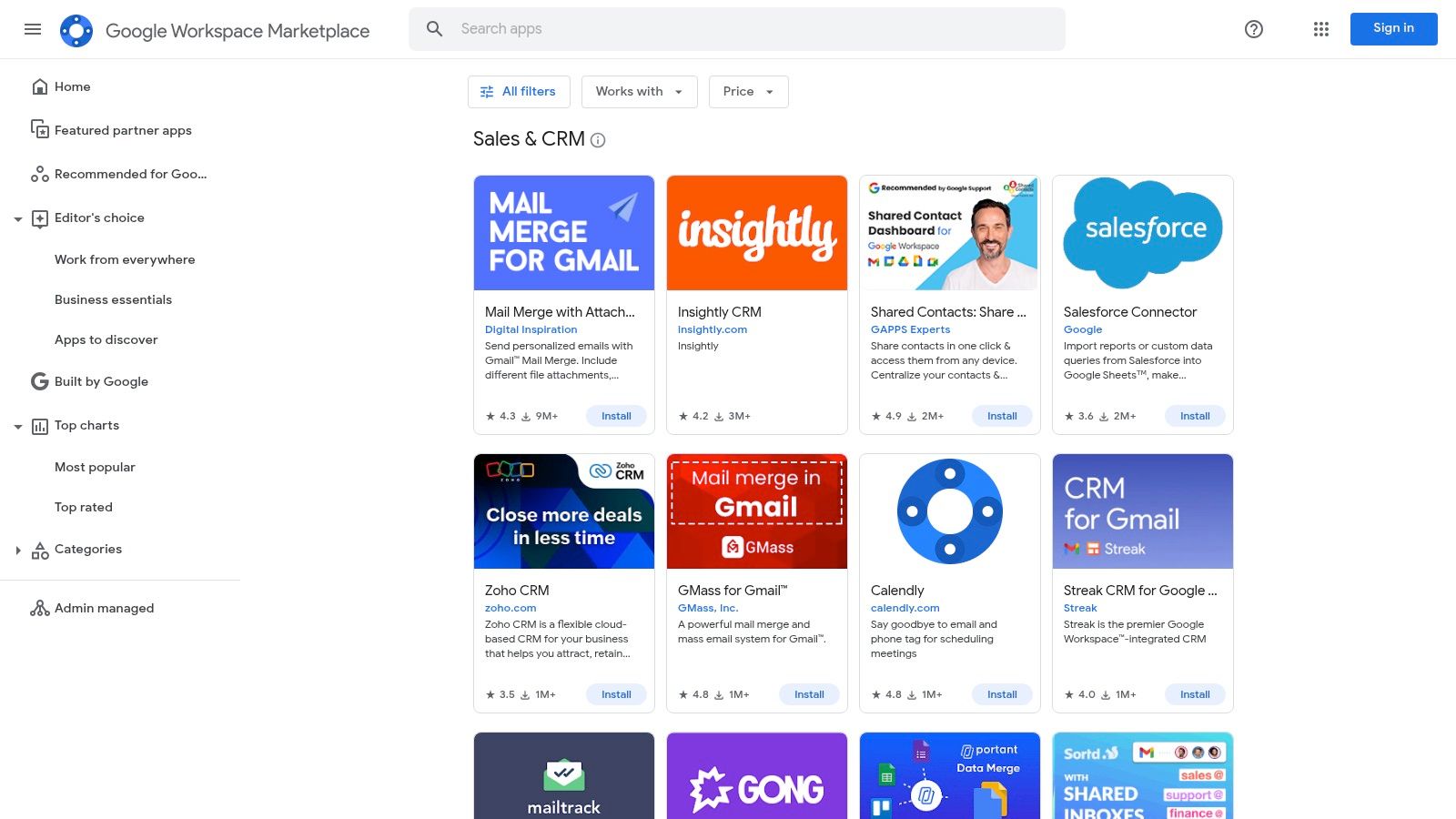
The platform centralizes the discovery process, allowing you to filter specifically for the “Sales & CRM” category. You can easily compare options by looking at user ratings, install counts, and last-updated dates, which gives you a quick pulse on an app’s popularity and maintenance.
Key Integration Features & Use Case
For RevOps leaders, the Marketplace offers a significant advantage: centralized administrative control. You can deploy a CRM add-on across your entire domain with a few clicks, managing permissions and ensuring every sales rep has the same tools without manual, one-off installs. This is ideal for teams that need standardized, easy-to-implement solutions.
Ideal Use Case: A startup or SMB looking for a quick-to-install, vetted Gmail CRM integration. It’s perfect for teams that want to test different CRMs like Streak or Zoho CRM directly inside the Gmail interface before committing to a complex, org-wide rollout.
Limitations & Next Steps
The primary limitation is that the Marketplace is a storefront, not the CRM itself. Pricing, features, and technical specifics like API rate limits vary widely between vendors. Many listings are just the “Gmail add-on” portion of a larger, paid CRM platform, so you’ll need to do your homework on the full product.
For a simple, out-of-the-box setup, the one-click install is often enough. However, if you need to build custom data pipelines or connect the CRM to your data warehouse, the native integration is just the starting point.
2. Streak CRM
If you’re looking for the deepest possible Gmail integration, Streak is likely your answer. It’s a purpose-built CRM that integrates with Gmail by living almost entirely inside your inbox. Instead of a separate tab or application, Streak transforms your Gmail interface into a fully functional pipeline management tool, eliminating the need to switch contexts between your communication hub and your sales process.
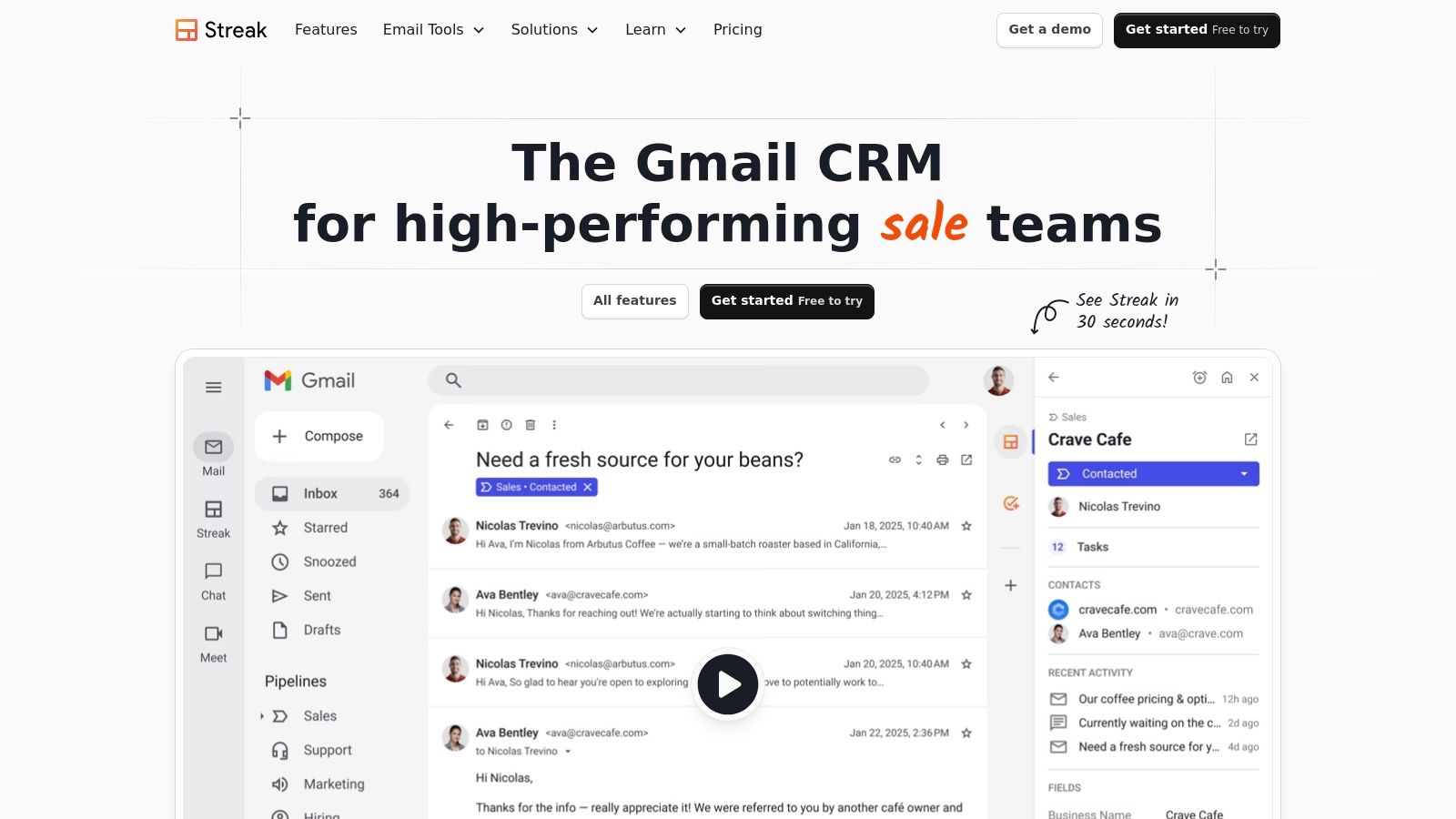
This native approach is its biggest differentiator. Email threads are automatically linked to deals and contacts, and you can manage everything from customizable pipelines to mail merges without ever leaving the familiar Gmail environment. It’s designed for users who want simplicity and efficiency above all else.
Key Integration Features & Use Case
For teams that practically live in Gmail, Streak’s core value is its zero-friction workflow. You can create and update deal stages, log notes, and schedule follow-ups directly from an email thread using a sidebar context pane. The system also includes native email tracking, snippets, and mail merge capabilities, which are often paid add-ons with other CRMs.
Ideal Use Case: A small sales team, freelancer, or startup founder who manages their entire sales process from their inbox. It’s perfect for those who find traditional CRMs overly complex and want a tool that adapts to their email-centric workflow, not the other way around.
Limitations & Next Steps
The primary limitation of Streak is that its Gmail-native design can be restrictive for larger, more complex operations. Advanced automation, cross-departmental reporting, and deep integration with a wider business intelligence stack are not its strong suits. While it offers a Zapier integration and a basic API, building robust data pipelines to a warehouse or other systems requires significant workarounds.
If your team grows beyond simple pipeline management, you may find yourself hitting a ceiling. It’s a phenomenal tool for inbox-based sales but less suited for a multi-channel RevOps strategy.
- Website: https://www.streak.com
3. Copper CRM
If you live and breathe Google Workspace, Copper is the CRM built just for you. As a Google-recommended partner, its entire platform is designed for deep, native-level integration with Gmail, Calendar, and Drive. It operates directly within your inbox via a side panel and Chrome extension, making it one of the most seamless options for teams that want a CRM that integrates with Gmail without feeling like a separate, clunky application.
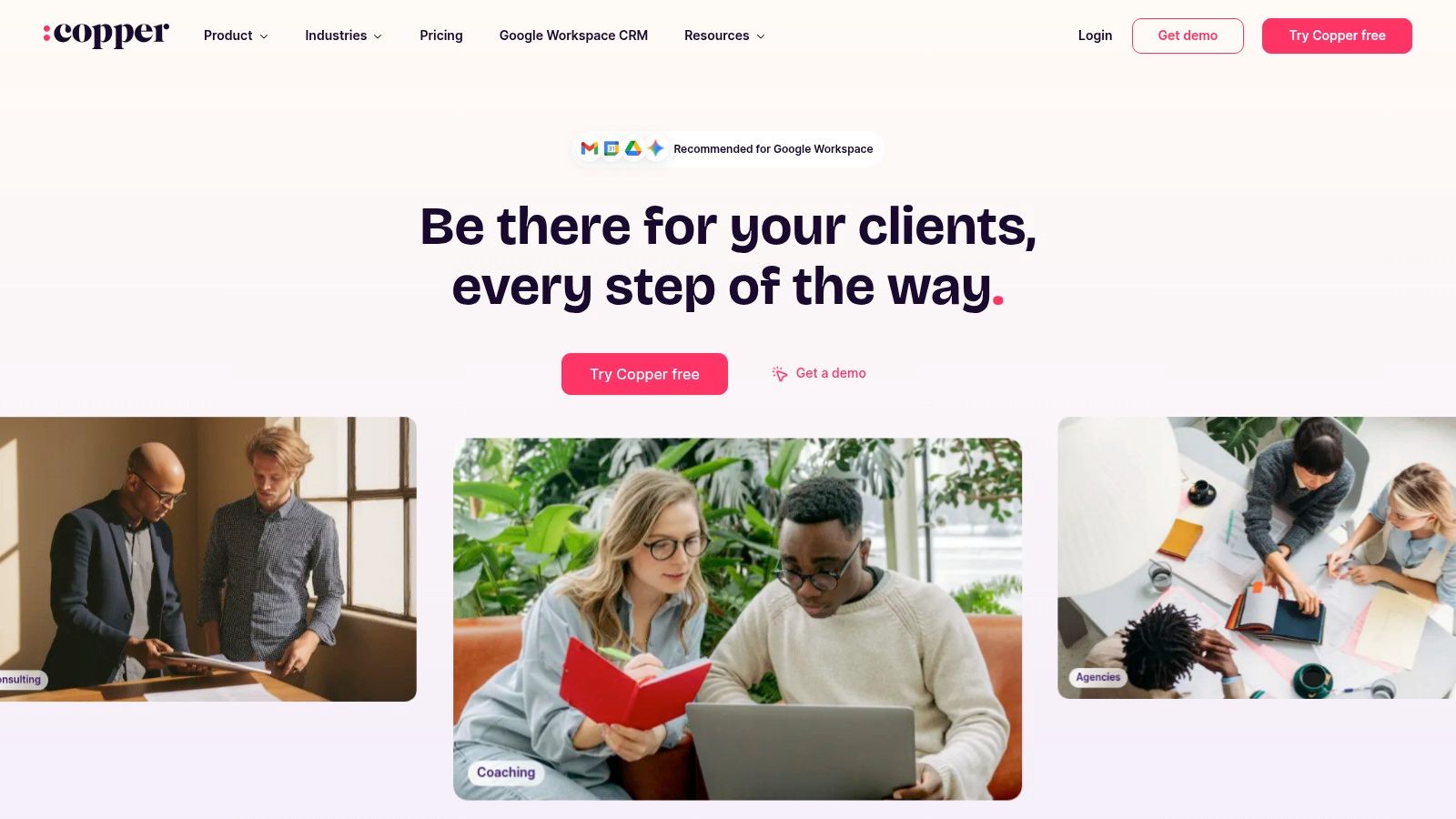
Copper’s core strength is its ability to automatically capture and log emails, contacts, and meeting data from your Google ecosystem. This minimizes manual data entry and provides a clear, contextual view of every relationship right from your inbox, which is a massive win for productivity.
Key Integration Features & Use Case
The primary integration is its embedded Gmail experience. From the side panel, you can update deals, log activities, and view contact history without ever leaving your inbox. For RevOps, the fast time-to-value is a huge benefit. You can deploy it across a Google domain and get your team onboarded quickly, as the interface feels familiar to anyone comfortable with Google’s UI.
Ideal Use Case: A fast-growing B2B company that is heavily invested in Google Workspace. It’s perfect for sales teams that need a simple, intuitive CRM that requires minimal training and eliminates the friction of switching between tabs.
Limitations & Next Steps
Copper’s deep Google integration is also its main limitation. If your organization uses a mix of tools (like Outlook for some departments), it loses much of its “magic.” The lower-tier plans come with contact limits, and more advanced features like automation and in-depth analytics are reserved for higher-priced tiers, so you need to plan for scalability.
While the native connectors for Sheets and Looker Studio are great for basic reporting, you’ll need to leverage its API for more complex data warehousing or BI needs.
- Website: https://www.copper.com
4. HubSpot — Sales Hub
HubSpot is a powerhouse in the CRM space, and its Sales Hub product offers one of the most popular and feature-rich integrations with Gmail. It moves beyond simple contact management by providing a comprehensive sales toolkit directly within your inbox via a Chrome extension and a sidebar. This approach allows sales reps to log emails, track opens, use templates, and view contact profiles without ever leaving Gmail.
What makes HubSpot a leading crm that integrates with gmail is its scalability. Teams can start with a generous free tier that includes foundational tools and then graduate to paid plans for advanced automation, sequences, and in-depth reporting as their operational needs mature. Its ecosystem is vast, offering extensive educational resources and integrations.
Key Integration Features & Use Case
The HubSpot integration shines by bringing crucial CRM context into the inbox. The Gmail sidebar displays a contact’s entire history, including past interactions, deal stages, and associated company data, allowing for highly personalized and timely follow-ups. The integration also includes a robust Google Calendar sync with branded booking links, streamlining the scheduling process.
Ideal Use Case: A growing B2B SaaS company that needs a CRM that can start free and scale with them. It’s perfect for teams that want to embed sales productivity tools like email tracking, templates, and sequences directly into their existing Gmail and Google Calendar workflows.
Limitations & Next Steps
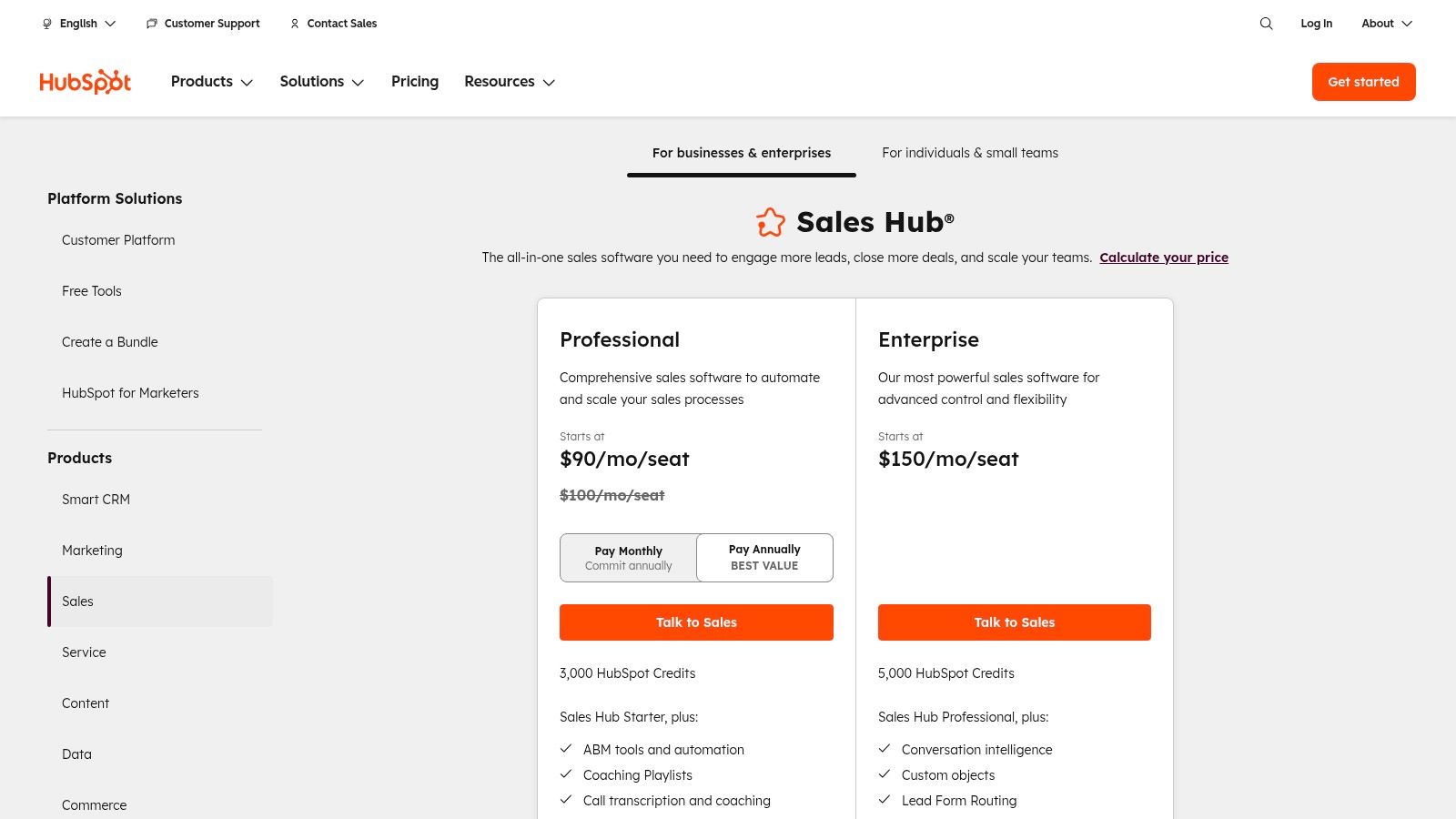
While powerful, the free and starter tiers have limitations on features like automation and reporting. Accessing the most sophisticated tools requires upgrading to higher-priced Professional or Enterprise plans, which can also include mandatory onboarding fees. Properly defining the goals of your CRM upfront will help you select the right tier without overspending.
For teams needing custom objects or complex data synchronization with external systems, HubSpot’s native capabilities might need to be augmented with custom API work to handle specific data schemas and business logic.
- Website: HubSpot Sales Hub Pricing
5. Pipedrive
Pipedrive is a sales-focused CRM renowned for its user-friendly interface and highly visual sales pipelines. It’s designed to help sales teams organize their process and close deals faster, making it a strong contender for any business looking for a crm that integrates with gmail without a steep learning curve. The platform stands out for its simplicity and direct approach to sales management.
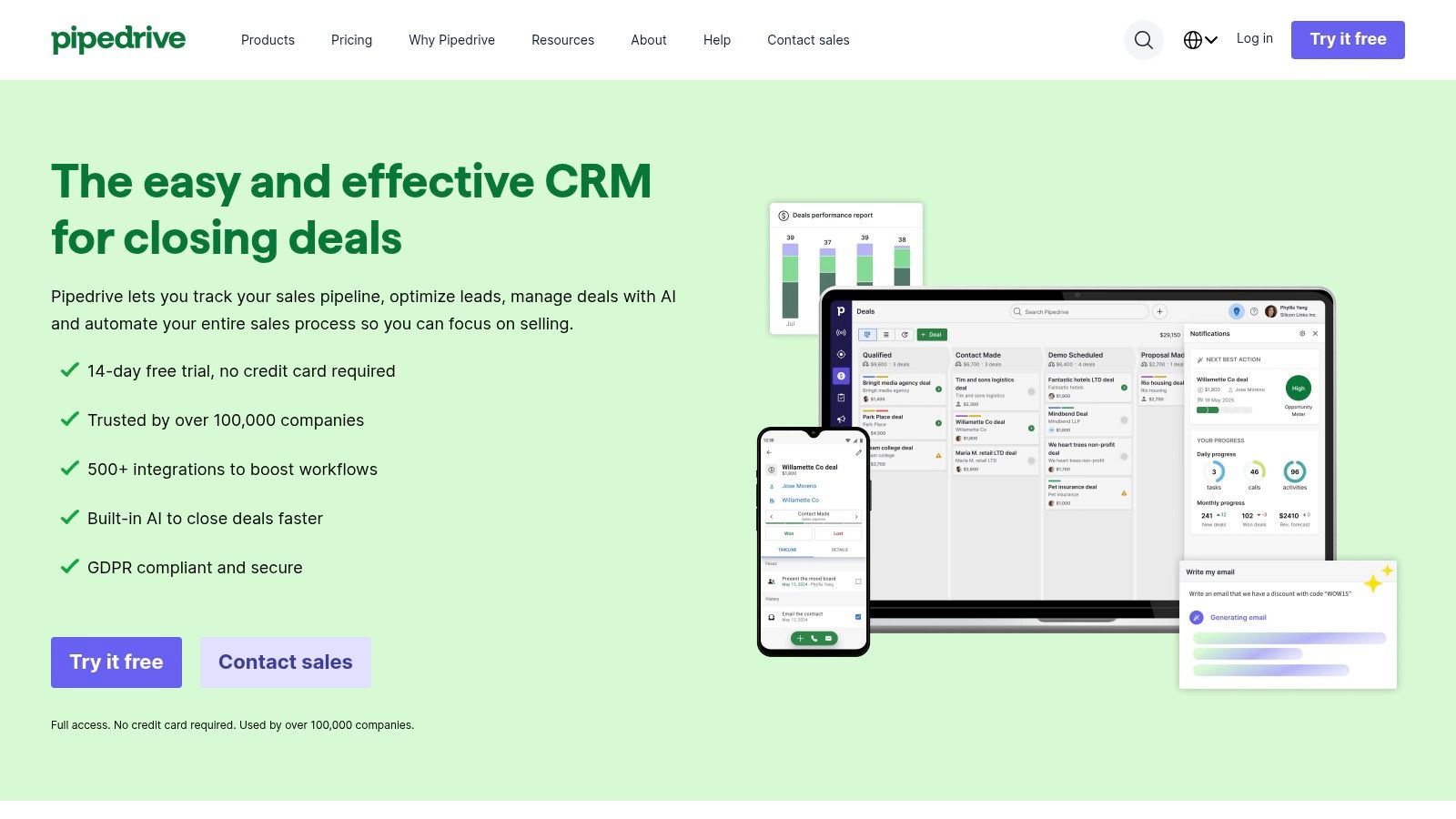
Its Gmail add-on allows users to manage contacts, deals, and activities directly from their inbox, reducing the need to switch between applications. With a focus on activity-based selling, Pipedrive encourages proactive sales behaviors, and its integration brings that methodology right into the daily email workflow.
Key Integration Features & Use Case
Pipedrive offers a full, two-way email sync, meaning any email sent from either Gmail or Pipedrive is visible and tracked in both platforms. You can create new contacts and deals from an email with a single click and link conversations to specific deals for a complete historical record. The integration also includes email tracking for opens and clicks.
Ideal Use Case: A growing sales team that prioritizes ease of use and a visual deal management process. It’s perfect for companies that need a straightforward, activity-driven CRM that seamlessly connects to their primary communication tool, Gmail.
Limitations & Next Steps
While Pipedrive is excellent for sales, its marketing and service functionalities are less developed and often require paid add-ons or third-party tools, which can increase the total cost of ownership. Advanced reporting and some AI-powered features are also reserved for its higher-priced tiers.
For teams needing more than just sales automation, connecting Pipedrive with other platforms is key. You can explore a variety of marketing automation integrations to build a more comprehensive tech stack.
- Website: Pipedrive
6. Zoho CRM
Zoho CRM is a powerful, full-featured platform that offers deep integration with the Google ecosystem, making it a strong contender for businesses already invested in Google Workspace. Its “Zoho CRM for Gmail” add-on brings core CRM functionality directly into your inbox, allowing you to manage leads, contacts, and deals without switching tabs. This makes it an excellent CRM that integrates with Gmail for teams looking for an all-in-one solution.
What sets Zoho apart is its vast ecosystem of interconnected business apps. The Gmail integration is just the entry point; it seamlessly connects with Zoho Books, Zoho Projects, and dozens of other tools, creating a unified operational hub. This breadth is particularly valuable for SMBs and mid-market companies that want to scale without the complexity of managing multiple, disparate vendors.
Key Integration Features & Use Case
The native Gmail add-on allows you to add new leads or contacts from an email, view a sender’s entire CRM history, and log email conversations with a single click. For RevOps leaders, the extensive API and developer tools provide the foundation for building highly customized workflows. You can create custom functions that trigger based on email activities, enriching contact records automatically or initiating complex sequences in other Zoho apps.
Ideal Use Case: A growing SMB or mid-market company that needs more than just a simple CRM. It’s perfect for teams that plan to consolidate their tech stack into a single ecosystem and require a customizable CRM that integrates with Gmail and other business functions like finance and project management.
Limitations & Next Steps
While Zoho offers a generous free plan, many of its most powerful features, like the AI assistant (Zia) and advanced customizations, are reserved for higher-priced tiers. Additionally, while the native integration is robust, achieving granular field mapping or complex data synchronization with external systems might require custom development using Zoho’s Deluge scripting language or their APIs.
For basic email logging and contact management, the add-on is sufficient. However, if your goal is to build a fully integrated revenue data model, you’ll need to look beyond the out-of-the-box settings and plan for a more engineered integration.
- Website: Zoho CRM
7. Salesforce Sales Cloud
For enterprise-level organizations, Salesforce Sales Cloud is a dominant player, and its integration with Gmail is a critical part of its ecosystem. Rather than just a simple add-on, Salesforce offers multiple integration paths, including a dedicated Chrome extension and the powerful Einstein Activity Capture (EAC) for automated, server-side synchronization of emails, events, and contacts.
This dual-pronged approach allows for both manual user actions via a Gmail sidebar (like relating an email to a specific Opportunity) and automated background data capture. This makes it a robust CRM that integrates with Gmail for teams that can’t afford to miss logging any interaction.
Key Integration Features & Use Case
Salesforce’s integration is built for complex B2B sales cycles. Einstein Activity Capture automatically logs communications and uses AI to surface insights, freeing up reps from manual data entry. The Gmail sidebar provides context-rich information directly in the inbox, allowing users to view and create Salesforce records like Leads, Contacts, and Tasks without switching tabs.
Ideal Use Case: An established enterprise or high-growth company that requires a highly customizable, scalable CRM with deep automation and analytics. It’s perfect for RevOps teams managing complex sales processes who need to ensure complete data capture across the entire GTM team.
Limitations & Next Steps
The platform’s power comes with significant complexity and a higher total cost of ownership. Setting up Einstein Activity Capture and the Chrome extension requires careful administrative configuration to manage data privacy and sync rules correctly. For teams needing more than the standard sync, building custom data pipelines often requires specialized expertise.
Salesforce is a cornerstone of many SaaS for sales stacks, but its off-the-shelf Gmail integration is just the beginning. True data resilience requires thinking about custom field mapping and API-led workflows.
- Website: Salesforce Sales Cloud
8. monday sales CRM
Originally known for project management, monday.com has evolved into a full-fledged “Work OS,” and its monday sales CRM is a powerful, visually-driven contender in this space. Its strength lies in its low-code, highly customizable framework, allowing teams to build workflows that perfectly match their sales process instead of being forced into a rigid, traditional CRM structure. The platform offers a robust, two-way Gmail integration that connects your inbox directly to its signature boards.
 that needs a flexible, visually-oriented CRM. It’s perfect for managers who want to build a custom sales OS that integrates project management, client onboarding, and sales pipelines all in one place.
Limitations & Next Steps
The primary limitation is its pricing model, which often requires a three-seat minimum and can be confusing to navigate as key features like email tracking and advanced automations are gated behind higher-tier plans. While highly customizable, the initial setup requires a clear understanding of your sales process to build out the boards and automations effectively, which can be a hurdle for teams expecting an out-of-the-box solution.
For basic email logging, the native integration is sufficient. However, to leverage monday sales CRM as a true central hub, connecting it with financial systems or advanced analytics platforms will require using its API and automation recipes.
- Website: monday sales CRM
9. Freshsales by Freshworks
Freshsales is a sales-focused CRM from the Freshworks suite that stands out by bundling omnichannel communication tools directly into its platform. While many CRMs offer strong email integration, Freshsales brings phone, chat, and email together, making it a powerful choice for teams that engage with prospects across multiple channels but want to manage it all in one place. Its approach is particularly appealing for small to mid-sized businesses looking for an all-in-one solution.
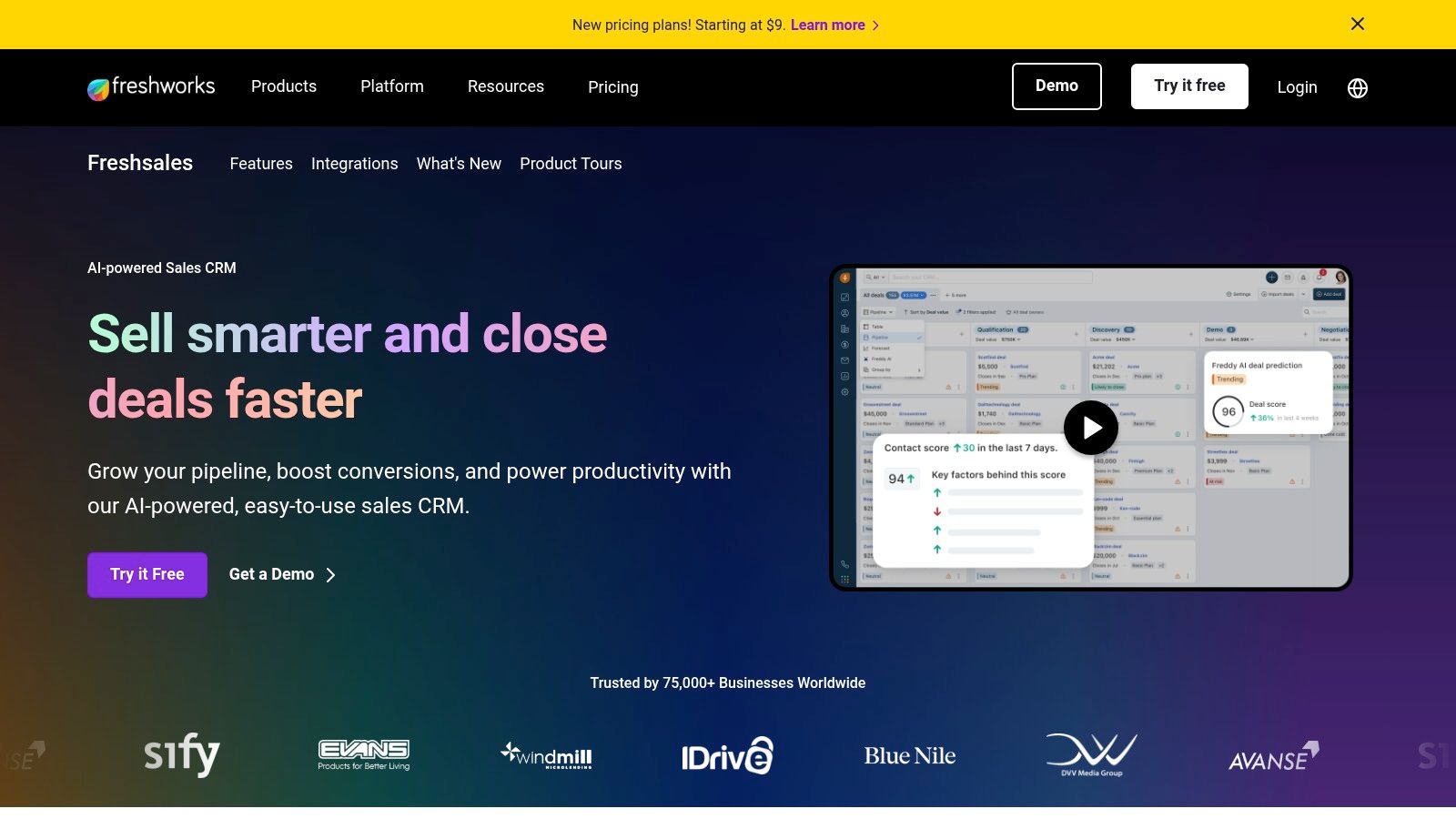
The platform offers a dedicated Gmail add-on that lets you view and update contact information, log emails, and access CRM data without leaving your inbox. Combined with its two-way email sync, you get a solid foundation for keeping your CRM and Gmail aligned, making it a compelling CRM that integrates with Gmail for sales-heavy teams.
Key Integration Features & Use Case
Freshsales’ key differentiator is its built-in telephony and chat. For RevOps teams supporting high-velocity sales motions, this means you don’t need to integrate separate dialer or live chat tools. The native two-way sync captures these interactions alongside your email conversations, providing a complete 360-degree view of prospect engagement. Its AI assistant, Freddy, also helps by providing insights and deal scoring on higher-tier plans.
Ideal Use Case: A fast-growing SMB or mid-market sales team that needs more than just email tracking. It’s perfect for teams that rely heavily on phone calls and live chat for lead qualification and want those activities automatically logged in their CRM alongside their Gmail history.
Limitations & Next Steps
A potential point of confusion is the distinction between the standalone Freshsales product and the larger Freshworks Customer Service Suite; ensure you’re evaluating the correct feature set. Additionally, advanced governance and administrative controls are reserved for enterprise-level plans, which may be a consideration for larger organizations needing granular permissions and security settings.
The native integration is excellent for core sales activities. However, for complex revenue attribution models that require connecting call data, chat logs, and email sequences to a central data warehouse, you’ll likely need a more robust data pipeline beyond the standard API.
- Website: Freshsales by Freshworks
10. Insightly CRM
Insightly stands out by combining a robust CRM with project management, making it an excellent choice for businesses whose sales process flows directly into project delivery. Its Google Workspace integration is solid, offering the Insightly Sidebar for Gmail to manage contacts, save emails, and create tasks without leaving your inbox. This dual functionality is its key differentiator, bridging the gap between closing a deal and executing the work.
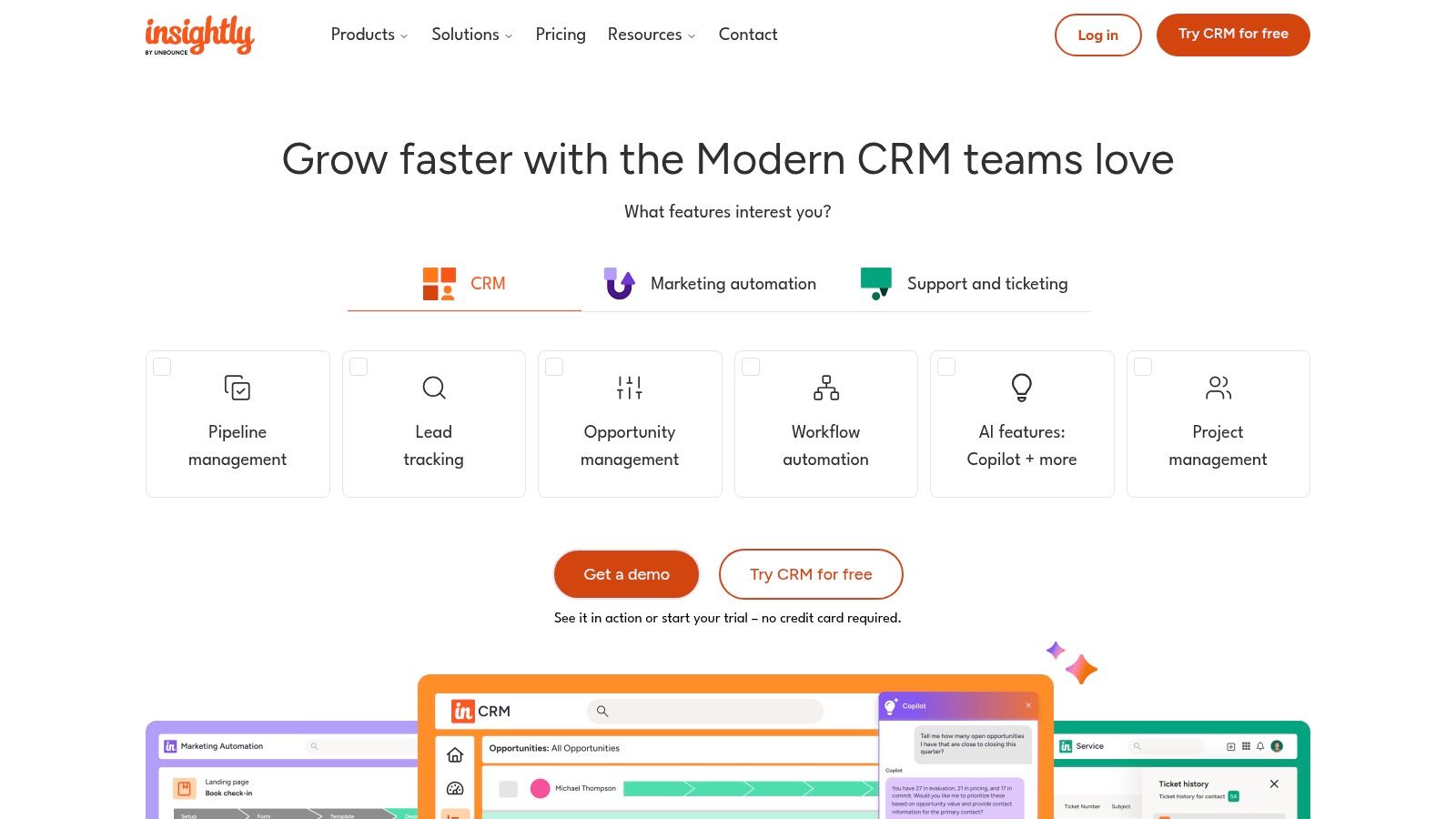
The platform also provides standard integrations with Google Contacts, Calendar, and Drive, ensuring your core operational tools stay in sync. Insightly’s focus on a unified workflow is clear, aiming to reduce the friction between sales and service delivery teams by keeping them on the same platform.
Key Integration Features & Use Case
The primary benefit for RevOps is the seamless handoff from sales to project management. When a deal is won in the CRM, you can convert it into a project with all relevant contacts and communications automatically carried over. This eliminates manual data entry and ensures the delivery team has full context from day one, which is crucial for client satisfaction and operational efficiency.
Ideal Use Case: Service-based businesses like marketing agencies, consulting firms, or professional services that need a single platform to manage the entire customer lifecycle, from lead generation in Gmail to project completion and invoicing.
Limitations & Next Steps
While Insightly offers a powerful all-in-one solution, its deeper automation features and more advanced integrations are often reserved for higher-priced plans. This can be a hurdle for SMBs on a tight budget. Additionally, while the native integration is good for day-to-day tasks, it may lack the granular field mapping or custom object support needed for complex data models.
If you need to sync custom data from Insightly Projects back to your financial systems or build sophisticated revenue recognition workflows, you will likely need to move beyond the standard integration and leverage its API.
- Website: https://www.insightly.com
11. Close CRM
Close is a high-velocity sales CRM designed for teams who live on the phone and in their email. It stands out by unifying communications (email, calls, SMS) into a single, cohesive timeline for each lead. Its native Gmail integration is a core part of this philosophy, using a secure two-way sync via IMAP/SMTP OAuth to ensure that every conversation is logged, whether it happens in Gmail or inside the Close platform.
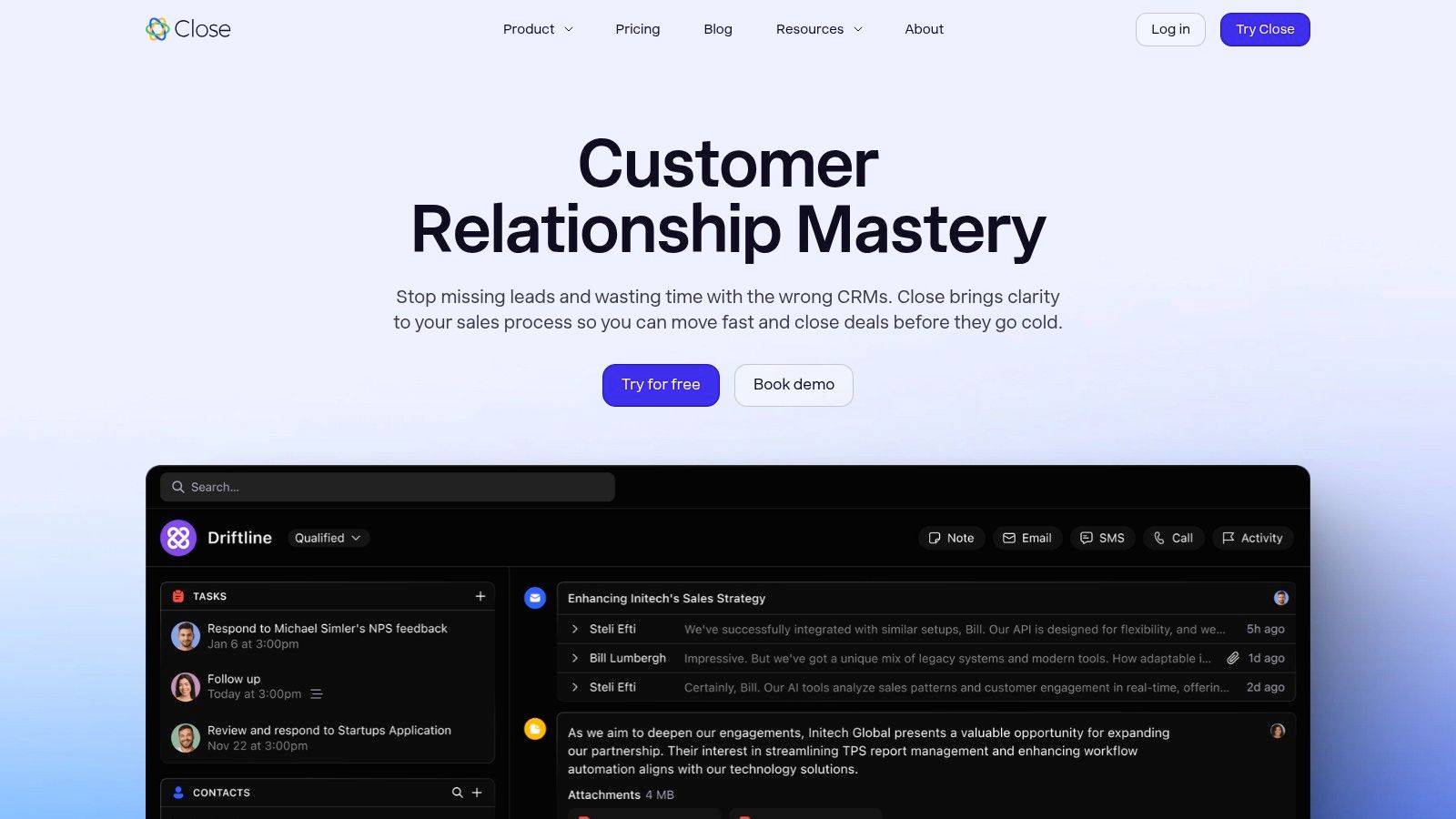
The platform is built for action-oriented sales reps, providing powerful tools like email sequences, templates, and open/click tracking directly within the CRM. This approach minimizes tab-switching and keeps reps focused on selling, not on administrative data entry. The one-time historical email import upon connection is another significant benefit, giving teams a complete conversational history from day one.
Key Integration Features & Use Case
The primary strength of Close’s Gmail integration is its unified communications hub. When a sales rep sends an email from their Gmail, it automatically appears in the lead’s timeline in Close. Conversely, emails sent from Close (including automated sequences) are sent through the user’s connected Gmail account, ensuring high deliverability and consistent sender identity. This tight coupling makes it a fantastic CRM that integrates with Gmail for teams who need context.
Ideal Use Case: A fast-paced SMB or mid-market sales team that relies heavily on a mix of email outreach, calling, and texting. It’s perfect for leaders who want to give their team a single platform to manage all sales communication without leaving the CRM.
Limitations & Next Steps
Close’s tight focus on sales communication means it has fewer features for marketing automation or complex service workflows compared to all-in-one platforms like HubSpot. While its API is robust, you may find that advanced administrative controls or granular field permissions are reserved for higher-tier plans.
For teams needing to sync custom objects or build complex logic between Close and other business systems, the native integration is a solid foundation. However, to connect it to a data warehouse or build bespoke reporting dashboards, you’ll need to leverage its API.
- Website: https://www.close.com
12. Zendesk Sell
Zendesk Sell is a sales-focused CRM designed for simplicity and actionability, particularly for teams already embedded in the broader Zendesk ecosystem for customer support. It provides a clean, mobile-friendly interface for managing pipelines, forecasting, and reporting, aiming to reduce the administrative burden on sales reps. Its Gmail integration is a core part of this, enabling email sync and contact management directly within the sales workflow.
The platform stands out by creating a unified view of the customer journey. When connected with Zendesk Support, it allows sales and support teams to share context, see full conversation histories, and collaborate on customer issues, which is a powerful advantage for companies prioritizing a seamless customer experience.
Key Integration Features & Use Case
The primary Gmail integration allows for two-way email sync, letting reps send and receive emails from within Zendesk Sell while ensuring everything is logged automatically to the correct contact or deal. This eliminates manual data entry and provides a complete chronological record of all communications. It’s a straightforward, effective setup that works well out of the box.
Ideal Use Case: A sales team at a company that already uses Zendesk for customer support. This creates a powerful, unified platform where sales activities and support tickets are visible in one place, providing a 360-degree customer view without complex custom integrations.
Limitations & Next Steps
The most significant limitation is that Zendesk has announced Sell will be discontinued on August 31, 2027. While it remains a functional CRM that integrates with Gmail today, any new adoption comes with a built-in expiration date. This makes it a non-starter for long-term strategy but potentially viable for a team needing a short-term solution while planning a migration to a more permanent platform.
Due to its impending retirement, investing in custom API work or complex data pipelines is not recommended. The focus should be on using its native features while actively planning your migration strategy to a different CRM.
- Website: Zendesk Sell
Top 12 Gmail-Integrated CRMs: Feature Comparison
| Product | Gmail integration & UX | Core features | Target audience | Value / Price notes |
|---|---|---|---|---|
| Google Workspace Marketplace — Sales & CRM category | One-click installs for Gmail add-ons; admin deployment controls | Curated listings, ratings, security disclosures, vendor pages | IT/admins and orgs seeking vetted Gmail integrations | Marketplace listing; vendor pricing varies |
| Streak CRM | Native in-Gmail UI; no tab switching | In-inbox pipelines, mail merge, email tracking, mobile apps | Solo users and small teams who live in Gmail | Minimal setup; advanced automation on higher tiers |
| Copper CRM | Gmail side panel & Chrome extension; auto email logging | Auto-sync contacts/emails, Sheets & Looker connectors, fast onboarding | Google Workspace teams seeking quick time-to-value | Google-recommended; contact limits on lower tiers |
| HubSpot — Sales Hub | Chrome extension sidebar; email logging & tracking | Sequences, automation, reporting, Calendar sync, sidebar profiles | Startups to enterprises scaling sales operations | Generous free tier; premium automation costs more |
| Pipedrive | Gmail add-on with two-way email sync | Visual pipelines, sales automation, 500+ integrations, AI tools | Sales teams that prioritize UX and pipeline visibility | Good value; add-ons can raise total cost |
| Zoho CRM | Gmail sidebar add-on; broad Workspace integrations | Large app ecosystem, customization, AI (Zia) on upper tiers | SMBs to mid-market needing configurable CRM | Competitive pricing; advanced features on higher plans |
| Salesforce Sales Cloud | Chrome extension + Einstein Activity Capture for sync | Enterprise automation, analytics, extensible platform | Large enterprises with complex CRM needs | High TCO and implementation complexity |
| monday sales CRM | Two-way Gmail sync; Gmail add-ons to create items | Visual boards, low-code customization, automations, dashboards | Teams needing flexible, visual workflows | Seat minimums; CRM features gated by plan level |
| Freshsales (Freshworks) | Gmail add-on and two-way email sync | Omnichannel (phone/chat), sequences, AI insights | Small to mid teams wanting integrated comms | Free plan available; advanced governance on higher tiers |
| Insightly CRM | Insightly Sidebar to save emails and create records | CRM + project management, Drive/Calendar linking, simple onboarding | SMBs needing combined sales + delivery workflows | Easy onboarding; premium support may cost extra |
| Close CRM | Native IMAP/SMTP OAuth sync; historical email import | Email sequences/templates/tracking, built-in calling & SMS | Sales teams needing unified communications | Strong email/call features; fewer marketing capabilities |
| Zendesk Sell | Email sync with Google sign-in and Gmail integration | Pipelines, forecasting, reporting, ties to Zendesk Support | Support-centric teams using Zendesk ecosystem | Discontinued Aug 31, 2027 — plan migration advised |
Beyond the Add-On: When to Call in the Integration Experts
We’ve explored a dozen powerful options, from the native simplicity of Streak and Copper to the enterprise-grade ecosystems of Salesforce and HubSpot. Finding the right CRM that integrates with Gmail is a critical first step toward streamlining your sales and customer management processes. Each tool offers a unique flavor of Gmail integration, whether it’s a slick sidebar, automated email logging, or two-way contact synchronization.
The journey, however, doesn’t end with installing a Gmail add-on. As your business scales, the very integrations that once saved you time can become sources of friction. The out-of-the-box sync that worked for a team of five starts to buckle under the weight of thousands of contacts and complex data requirements. This is the natural evolution of a growing revenue operations stack.
From Simple Sync to Strategic System
Initially, your primary goal is simple: capture conversations and contacts without leaving your inbox. Tools like Pipedrive or monday sales CRM excel here, providing clear visibility and reducing manual data entry. But what happens next is where the real complexity begins.
- Data Integrity Challenges: As your team grows, so does the risk of duplicate records and inconsistent data. Standard deduplication rules might not be sophisticated enough to handle your specific business logic, leading to messy reporting and confused sales reps.
- API and Rate Limits: Every API call has a limit. High-volume teams can quickly hit the ceilings imposed by both Google and their CRM, causing syncs to fail, data to be lost, and workflows to grind to a halt precisely when you need them most.
- Custom Workflow Demands: Your go-to-market strategy is unique. You might need to trigger a complex sequence of events in your marketing automation platform, data warehouse, and CRM based on the content of a specific email. A standard integration simply won’t have the logic to support these bespoke, multi-system processes.
Knowing When to Escalate to Expert Engineering
The transition from using a tool to engineering a system is a pivotal moment for any RevOps team. The “good enough” integration that gets you started is rarely the resilient, scalable solution that will carry you into the future. You’ve hit this inflection point when your team starts asking questions like:
- “Why isn’t our custom field data from the CRM showing up in our email templates?”
- “Our sync keeps failing during peak hours. Can we build more robust error handling?”
- “We need to connect our Gmail activity not just to Salesforce, but also to our product analytics platform and a Snowflake data warehouse. How do we build that data pipeline?”
Answering these questions requires moving beyond the pre-built connectors. It demands custom code, a deep understanding of multiple APIs, and a proactive approach to monitoring and maintenance. This is where a simple CRM that integrates with Gmail becomes a component in a much larger, mission-critical data infrastructure. Attempting to build and manage this with internal resources who are already stretched thin can lead to brittle solutions, technical debt, and costly downtime. When the stakes are this high, and your data pipelines are directly tied to revenue, it’s time to call in the experts.
Is your out-of-the-box Gmail integration hitting its limits? When you need to build custom, production-grade data pipelines between your CRM, Gmail, and other critical systems, RevOps JET provides the dedicated engineering team to design, build, and maintain them for a simple flat rate. Stop wrestling with brittle connectors and unlock the full potential of your RevOps stack by visiting RevOps JET to learn more.