“SaaS for sales” is a collection of cloud-based software that helps you automate, organize, and analyze every single part of your sales process. It’s not just one app. Think of it as a complete ecosystem of tools that work together, turning clunky spreadsheets and manual data entry into a smooth, powerful revenue engine.
For any modern sales team, these tools are the absolute backbone of the operation.
Why Your Sales Engine Needs SaaS
Imagine a sales team completely bogged down by admin work. Reps are stuck logging calls in spreadsheets, leads are falling through the cracks because follow-ups are being missed, and managers have no real clue what’s actually driving results. That’s not just inefficient—it’s a recipe for flat growth and a burned-out team. This is the painful reality for any team trying to compete without a modern tech stack.

SaaS for sales completely flips that script. It’s about moving from scattered, manual tasks to an integrated, automated system where data flows freely between your tools. Suddenly, you have a single source of truth for every customer interaction, empowering your team to stop managing data and start doing what they do best: building relationships and closing deals.
Moving from Chaos to Control
At its heart, adopting sales software is about turning chaos into a predictable, measurable, and scalable operation. Instead of just guessing which activities are actually generating revenue, you get crystal-clear insights backed by hard data.
This shift brings some immediate, game-changing advantages:
- Centralized Customer Data: All contact details, communication history, and deal stages live in one easy-to-access place (usually your CRM).
- Automated Workflows: Reps can put repetitive tasks on autopilot, like sending follow-up emails or scheduling demos, which frees up hours every week for actual selling.
- Enhanced Visibility: Leaders get real-time dashboards and reports that show pipeline health, team performance, and forecasts you can actually trust.
- Improved Customer Experience: When you have the full story on every customer, your team can deliver far more personal and timely communication.
The Growing Importance of Sales Technology
The rush toward sales technology isn’t just a fleeting trend. The global sales software market is exploding, projected to hit USD 63.15 billion by 2030 with an impressive compound annual growth rate of 15.10%. This isn’t happening by accident. It’s driven by companies everywhere realizing that a solid tech stack is no longer a “nice-to-have”—it’s a requirement for survival and growth.
By unifying processes and data, a well-architected SaaS stack allows you to do more than just manage sales; it allows you to engineer a high-performance revenue machine that consistently hits its targets.
Ultimately, investing in SaaS for sales is all about creating leverage. It helps every single rep become more effective, gives managers the data they need to make smarter decisions, and builds a solid foundation for long-term growth. It’s a critical step in boosting your overall https://revopsjet.com/blog/sales-conversion-rate, because every small efficiency you gain makes your entire pipeline healthier.
What’s in a Modern Sales SaaS Stack?
A modern sales tech stack isn’t just a grab-bag of cool apps. It’s a thoughtfully constructed ecosystem where every single tool has a job to do. When it all works together, you get a powerful, unified revenue machine. Think of it like building a high-performance car: you need the engine, the transmission, and the navigation system, and every part has to connect and communicate flawlessly.

To build this machine right, you first need to understand the core components. Each category of SaaS for sales solves a very specific set of problems, from managing customer relationships to automating outreach and digging into performance data.
Let’s break down these essential building blocks.
The Central Nervous System: Customer Relationship Management (CRM)
At the very heart of any sales stack sits the Customer Relationship Management (CRM) platform. This is your foundation, the non-negotiable central nervous system that holds every piece of customer data. It’s the single source of truth for your entire revenue team.
A good CRM is where you store and organize everything you know about your leads, contacts, accounts, and opportunities. It tracks every interaction—from emails and calls to meetings and demos—giving you a complete, chronological history of your relationship with every single prospect and customer.
Without a CRM, sales teams are basically flying blind, trying to operate out of messy spreadsheets and scattered notes. It’s a recipe for disaster. Key details get lost, follow-ups are missed, and getting reps to collaborate becomes next to impossible. To dig deeper into its role, check out our guide on the core goals of a CRM.
- What it solves: Disorganized data, zero visibility into the sales pipeline, and inconsistent customer communication.
- Common examples: Salesforce, HubSpot, Zoho CRM.
The Communication Engine: Sales Engagement Platforms
If the CRM is your database, then the Sales Engagement Platform (SEP) is your automated communication engine. These tools are layered right on top of your CRM, helping reps execute their outreach strategies at scale without losing that crucial personal touch. SEPs are built to streamline all the top-of-funnel activities and follow-ups that eat up a huge chunk of a salesperson’s day.
They let reps build multi-step, multi-channel sequences of emails, calls, and social media touches. A rep can, for instance, create a sequence that sends an initial email, schedules a follow-up call three days later if there’s no reply, and then creates a task to connect on LinkedIn the following week. This system ensures persistent, timely outreach for every lead.
A well-implemented Sales Engagement Platform empowers reps to manage hundreds of relationships simultaneously, ensuring no lead ever falls through the cracks due to simple human error or forgetfulness.
- What it solves: Manual and time-consuming prospecting, inconsistent follow-up, and difficulty tracking who has opened what.
- Common examples: Outreach, Salesloft, Apollo.io.
The Reconnaissance Team: Sales Intelligence Tools
Great salespeople don’t just pitch; they do their homework. Sales Intelligence tools are the reconnaissance team for your sales organization, uncovering critical data that helps reps truly understand their prospects and personalize their outreach. These platforms are essentially giant databases of company and contact information.
This data includes firmographics (like company size, industry, and revenue), technographics (the software they currently use), and buying signals (like a recent funding round or a new executive hire). Instead of burning hours manually digging through LinkedIn or company websites, reps can instantly pull up a detailed profile of their target accounts.
- What it solves: Inaccurate or incomplete prospect data, wasted time on manual research, and generic, uninspired outreach.
- Common examples: ZoomInfo, Lusha, Cognism.
The Deal Closer: Configure, Price, Quote (CPQ)
As a deal gets closer to the finish line, complexity can grind everything to a halt. Configure, Price, Quote (CPQ) software is designed to automate the painful process of creating sales quotes and proposals. It makes sure every quote is accurate, professional, and perfectly aligned with your current pricing and product rules.
Imagine you have hundreds of products, complex bundling options, and tiered discounting. A CPQ tool walks the rep through the entire configuration, applies all the correct pricing, and spits out a polished proposal in minutes. This kills embarrassing pricing errors and dramatically speeds up the final stages of the sales cycle.
- What it solves: Inaccurate quotes, slow proposal generation, and revenue leakage from unauthorized discounts.
- Common examples: Salesforce CPQ, DealHub, PandaDoc.
The Performance Dashboard: Sales Analytics and Reporting
Finally, you can’t improve what you don’t measure. Sales Analytics platforms plug into your CRM and other tools to give you deep insights into performance. While most CRMs have their own reporting, dedicated analytics tools offer much more advanced dashboards, forecasting models, and diagnostic power.
These tools help sales leaders answer the tough questions: Which lead sources are actually generating the most revenue? What specific behaviors separate our top-performing reps from everyone else? Is our sales cycle getting longer or shorter? This data-driven approach is absolutely essential for optimizing your entire sales process.
The investment in SaaS for sales is part of a much larger trend. The global SaaS market revenue was around $250 billion in 2025 and is projected to keep growing rapidly. This just shows how deeply businesses are relying on cloud software to drive their operations. You can find more SaaS market growth and trends on hostinger.com.
- What it solves: Lack of visibility into sales performance, inaccurate forecasting, and difficulty identifying where the process is broken.
- Common examples: Gong, Clari, Tableau.
Navigating the Murky Waters of Sales Tool Integration
Connecting your sales tools should feel like snapping together LEGO bricks—simple, intuitive, and strong. But if you’ve ever tried it, you know the reality is more like wrestling with a tangled mess of mismatched wires. Native integrations promise a “plug-and-play” dream, but they often deliver a nightmare of fragile connections that can silently poison your entire RevOps strategy.
Think of it like this: your CRM speaks one language, your sales engagement platform speaks another, and your analytics tool is chattering away in a third. Without a sophisticated translator in the middle, critical messages get lost, data gets garbled, and your whole operation grinds to a halt.
Simply flipping the switch on out-of-the-box connectors just doesn’t cut it. As your team grows and your processes evolve, these flimsy bridges collapse under the weight of custom fields, new business rules, and sheer data volume. This is where the real headaches begin.
The Two-Way Street to Data Chaos: Bi-Directional Sync
One of the most common and destructive problems is what we call the bi-directional sync issue. In theory, it’s great: two apps are set up to automatically update each other. A rep updates a prospect’s phone number in their outreach tool, and that change magically appears in the master CRM record.
But what happens when two different reps update the same contact in different systems at the same time? It creates a data tug-of-war. The result is often a “last one in wins” scenario, where one platform blindly overwrites the other. Poof. A perfectly good piece of data is gone forever. This kicks off a domino effect of bad data polluting your entire tech stack, leading to bounced emails, flawed reports, and a very confused sales team.
The Silent Killer: Schema Drift
Even more dangerous is a sneaky issue called schema drift. A “schema” is basically the blueprint for your data in any given app—it defines what the fields are and what they’re supposed to contain. Schema drift happens when a SaaS vendor quietly updates their application and changes that blueprint without telling you.
Suddenly, a field name is different, a data format changes, or a new required field pops up out of nowhere. Your native integration, which was built for the old blueprint, has no idea what to do. The connection doesn’t just break with a loud crash; it often fails silently. Data simply stops flowing, and you might not notice for days or even weeks.
The Silent Killer: Schema Drift When a SaaS vendor changes their application’s data structure without warning, it can break all the integrations relying on the old format. Because it often happens without sending an error alert, schema drift can cause massive data loss and reporting gaps before anyone even knows there’s a problem.
This is a massive risk for any company that depends on a web of interconnected tools. Your entire revenue engine is at the mercy of third-party platforms you have zero control over. It’s a key reason why so many businesses are looking for more robust solutions for their marketing automation integrations, which face the exact same silent threat.
Data Doesn’t Speak the Same Language: The Transformation Gap
Finally, one of the biggest myths is that data can just slide from one system to another as-is. The truth is, data almost always needs to be cleaned up, reformatted, or enriched on its journey. This is called data transformation.
You see it all the time:
- Phone Number Formatting: Your CRM wants
(555) 123-4567, but your dialer needs+15551234567. - Standardizing Locations: Your web form collects “California,” “CA,” and “cali,” but your territory mapping rules require a standardized “CA.”
- Combining Data: You need to merge a
First Namefield and aLast Namefield from your lead capture form into a singleFull Namefield in your CRM.
Native integrations are notoriously bad at handling these custom business rules. Without a dedicated middle layer to manage these transformations, your team is stuck doing it all by hand—a process that’s slow, full of errors, and impossible to scale.
These common integration challenges are often where the promise of a connected tech stack falls apart. Here’s a quick look at how these technical issues translate into real-world business problems.
Common Integration Pitfalls and Their Business Impact
| Integration Challenge | Technical Description | Business Impact |
|---|---|---|
| Bi-Directional Sync Errors | Two systems overwrite each other’s data due to timing conflicts, resulting in the “last update wins” problem. | Inaccurate customer records, lost contact information, wasted sales efforts, and eroded trust in CRM data. |
| Schema Drift | A vendor changes their application’s data structure (e.g., renames a field), causing the integration to fail silently. | ”Zombie” integrations that appear to work but don’t transfer data, leading to incomplete reports and missed opportunities. |
| Lack of Observability | Native connectors provide no visibility into why a sync failed, leaving teams guessing about the root cause. | Increased IT support tickets, frustrated sales reps, and long delays in fixing data flow issues. |
| No Data Transformation | Data cannot be cleaned, standardized, or reformatted as it moves between systems (e.g., standardizing state names). | Manual data cleanup, inconsistent reporting, and failed automations that rely on specific data formats. |
| Unclear Data Ownership | No single system is designated as the “source of truth,” leading to conflicts and data integrity issues. | Conflicting reports between departments, duplicated efforts, and poor strategic decisions based on flawed data. |
It’s clear that a simple “plug-and-play” approach is rarely enough to build a reliable sales engine. These challenges highlight the need for a more thoughtful, engineered strategy to make your tools work for you, not against you.
How to Choose the Right Sales SaaS
Picking the right software for your sales team is a huge decision, and it’s about so much more than just ticking boxes on a feature list. We’ve all seen it happen: the shiniest new tool with a mountain of features gets signed, but a few months later, it’s just expensive shelfware. To make sure your new tech actually helps you close deals instead of just creating headaches, you need a solid game plan.
Forget the flashy demos for a second. Let’s get down to what really matters. I’ve found that focusing on four key areas helps you see past the sales pitch and find a tool that will actually work for you in the long run.
Can the Software Grow with You?
First thing’s first: scalability. The tool that’s perfect for your five-person sales team today might completely buckle when you hit fifty reps. You have to think ahead—where do you see the company in three, maybe five years? Your software needs to be able to keep up.
Ask yourself these questions:
- Performance Under Load: How does it handle a massive data load? Will it crawl to a halt when you go from a few thousand contacts to a few million?
- Feature Tiers: Are the features you’ll need next year trapped behind an enterprise plan with a terrifying price tag?
- Customization: Your sales process is going to evolve. Can the tool evolve with it? Think about custom fields, objects, and workflows you might need down the road.
Choosing a tool that can’t scale is a recipe for disaster. It means you’re signing up for a painful and expensive migration later on, and that’s a disruption nobody wants.
Does It Play Well with Others?
No sales tool is an island. It has to connect seamlessly with the rest of your tech stack, especially your CRM. This is all about integration capability, and it’s absolutely non-negotiable. Bad integrations create data silos, and your reps will end up wasting their days manually copying and pasting information.
A sales tool’s real value isn’t just what it does on its own. It’s how well it shares and receives information from the other systems you rely on. If it can’t communicate, it becomes a data island, dragging down its own value and the value of everything it should be connected to.
You’re looking for deep, bi-directional integrations that can handle your specific setup, including custom fields. A tool that only offers a shallow, one-way data push is going to cause a lot of frustration and lead to some seriously unreliable reports.
Will Your Team Actually Use It?
This is the one everyone forgets, but it’s arguably the most important: user adoption. It doesn’t matter if you bought the most powerful software on the planet if your reps hate it. If the interface is a nightmare or the workflow just doesn’t feel right, they’ll find a way to avoid it.
There’s only one way to know for sure: get your sales reps involved in the decision. Let them sit in on the demos. Let them play around in a trial. If they think it’s intuitive and can genuinely see how it’ll help them sell more, you’ve found a winner. If they see it as just another piece of admin work, you’re fighting a battle you’re going to lose.
What Is the True Cost?
Finally, you have to look past the sticker price and calculate the Total Cost of Ownership (TCO). The monthly subscription fee is just the tip of the iceberg.
Those hidden costs can sneak up on you and completely blow your budget. Make sure you factor in:
- Implementation Fees: What’s the one-time hit for setup, configuration, and getting your data moved over?
- Training and Onboarding: What will it cost to get everyone up to speed and using the tool effectively?
- Ongoing Maintenance: Are you going to need to hire a dedicated admin or bring in technical help to keep this thing running?
- Support Costs: Is quality support included, or is that another line item on the invoice?
By looking at every potential tool through these four lenses—scalability, integration, adoption, and TCO—you can cut through the noise. You’ll be making a strategic decision that delivers real, lasting value instead of just buying another subscription.
Building a Resilient RevOps Integration Strategy
If you’ve ever watched a native integration crumble under the slightest pressure, you know that a “plug-and-play” approach is a recipe for bad data and constant headaches. To build a sales engine that can actually scale, you need to be far more intentional. It’s time to move beyond those fragile, point-to-point connectors and architect a central data hub that can act as a “universal translator” for your entire sales stack.
Think of it like upgrading your town’s chaotic back roads into a central highway system. Instead of every app trying to build its own shaky path to every other app, all your data flows through a managed, observable, and resilient hub. This central layer becomes your command center for data traffic control, making sure information moves accurately and reliably between all your sales tools.
This strategic shift is what turns RevOps from a reactive, fire-fighting function into a proactive, strategic advantage. You’re no longer a victim of a vendor’s sudden API change or a brittle connector; you’re in full control of your data ecosystem.
Designing a Central Integration and Automation Layer
The big idea here is to decouple your applications from one another. Instead of a direct, fragile link between your CRM and your sales engagement platform, both tools connect to a central integration layer. This layer takes on the heavy lifting—fetching, transforming, and delivering data based on your specific business rules.
This architecture pays off almost immediately:
- Single Point of Management: You’re managing all your integration logic in one place. That makes updates, monitoring, and debugging infinitely easier.
- Resilience to Change: When an application’s API changes (and it will), you only have to update its single connection to the hub, not the dozen other connections it might have had.
- Complex Transformations: That central hub can handle the complex data wrangling that native connectors just can’t, like standardizing state codes or combining
FirstNameandLastNamefields.
This approach also protects your most important systems, like your CRM, from getting polluted with bad data. The central layer acts as a gatekeeper, validating and cleaning information before it ever touches your source of truth.
By pulling the integration logic away from the individual applications, you create a system that is not only more reliable but also way more adaptable to whatever new tools you bring on in the future.
Thinking this way also clarifies what really matters when you’re evaluating new sales SaaS tools.
The infographic below breaks down the key pillars to consider: scalability, integration, and user adoption.
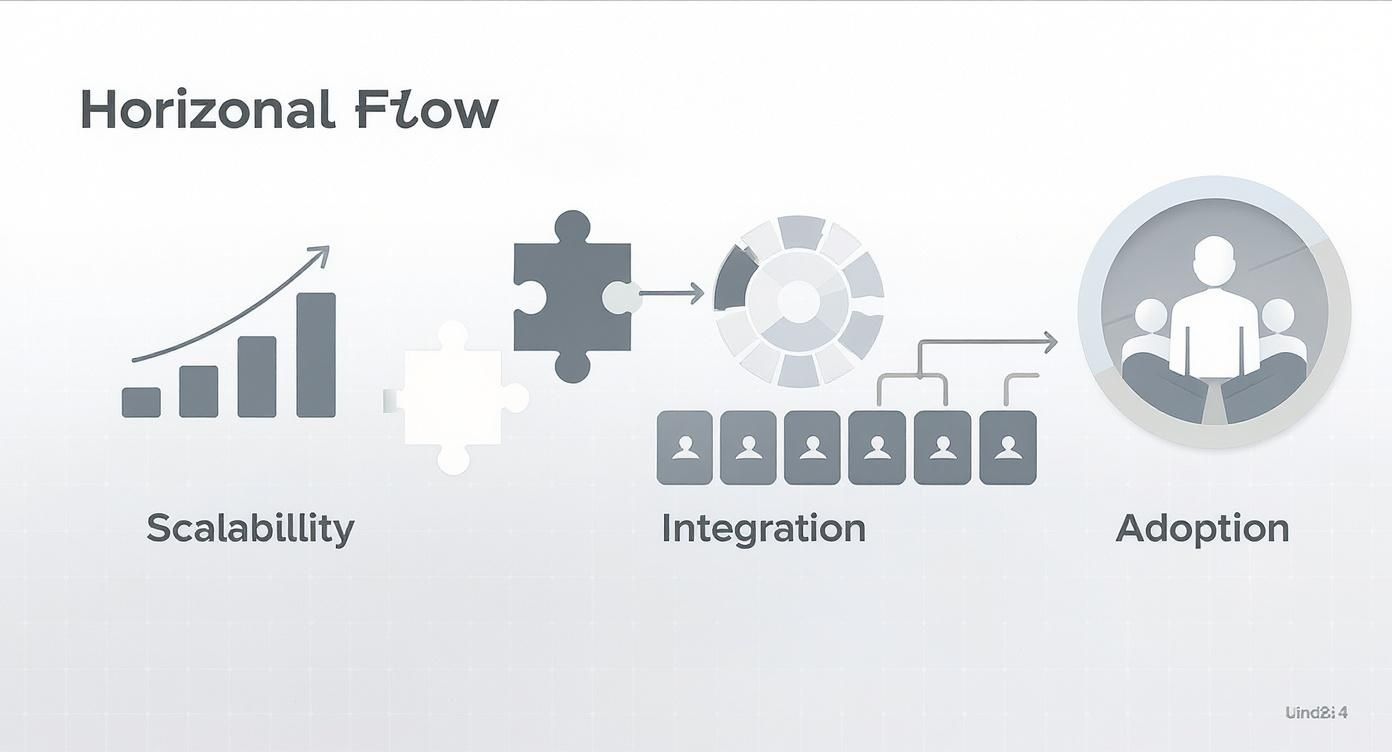
As you can see, a tool’s ability to integrate deeply with your stack is just as critical as its ability to scale or whether your team will even use it.
From Fragile Connectors to Engineered Pipelines
A truly resilient strategy means graduating from simple connectors to fully engineered data pipelines. This is where a more technical RevOps approach, like the one offered by services such as RevOps JET, becomes non-negotiable. It’s about applying real software engineering principles to your revenue operations.
An engineered pipeline has several key components that basic integrations are missing:
- Observability and Monitoring: Your team gets real-time alerts when a sync fails or data looks off. You find out the moment a problem happens, not weeks later when a C-level report is broken.
- Error Handling and Retries: If an API is temporarily down, the system doesn’t just give up and fail silently. It has built-in logic to automatically retry the connection, ensuring data eventually gets where it needs to go.
- Idempotent Webhooks: This is a technical guardrail that prevents duplicate records from being created if the same data signal gets sent multiple times—a surprisingly common cause of messy CRM data.
- Version Control and Documentation: All the logic and transformations are documented and stored in a version control system like git. This creates a bulletproof history of changes and makes the whole system maintainable for the long haul.
Let’s make this real. Imagine you want to sync customer usage data from your product database into Salesforce to flag upsell opportunities for your reps. A native connector would almost certainly choke on the custom data structures. An engineered solution, on the other hand, would use a Change Data Capture (CDC) pipeline to move the data to a warehouse like Snowflake, apply SQL transformations to calculate key metrics, and then use a Reverse ETL process to push that clean, actionable data into the right Salesforce fields.
This level of engineering is what future-proofs your sales stack. As your business grows and your processes get more complex, your data infrastructure can adapt without requiring a complete teardown. It’s the difference between building a temporary shed and laying the foundation for a skyscraper.
Answering Your Top Sales SaaS Questions
As you start piecing together your sales tech stack, some big questions always come up. It’s totally normal. From picking that very first tool to making sure your team actually logs into it, getting the basics right from the get-go is everything.
Let’s dive into the common questions we hear from revenue leaders who are in the thick of building and managing their own sales stack.
What Is the First SaaS Tool a New Sales Team Should Buy?
For just about any sales team starting out, the first piece of the puzzle should always be a Customer Relationship Management (CRM) system. Seriously, don’t even think about fancy outreach tools yet. Your CRM is the home base for every scrap of customer data and every interaction—it’s the single source of truth that everything else will plug into later.
You need a solid system for managing your contacts, tracking deals, and seeing your pipeline clearly before you do anything else. Starting with a good, scalable CRM builds healthy data habits from day one, and trust me, you’ll thank yourself for it as your team (and your stack) grows.
How Do I Get My Sales Team to Actually Use New Software?
Ah, the age-old problem of user adoption. It’s the make-or-break challenge for any new sales tool. The secret? Bring your reps into the decision-making process right from the start. Get them in on the demos and ask for their honest feedback. They’ll tell you what feels clunky and what actually seems helpful for their day-to-day grind.
Once you’ve picked a tool, don’t just flip a switch and expect everyone to love it. Roll it out in phases. Your training should be all about the “what’s in it for me”—how this new software will help them save time, close more deals, and just plain make their jobs easier. Find a few people on the team who are excited about it and turn them into internal champions who can help their peers along.
The success of any new sales tool isn’t measured by its features, but by its adoption. If your team doesn’t use it, the investment is wasted, no matter how powerful the software is.
Can I Just Rely on Native Integrations Between My SaaS Tools?
Native integrations are a great place to start, but you’ll likely outgrow them faster than you think. They can be surprisingly fragile. When one of your apps updates its API, the connection can break without any warning. We call this “schema drift,” and it’s a huge headache.
These out-of-the-box connectors also tend to be pretty rigid. They often can’t handle the custom data mapping or complex business rules that your unique sales process needs. For a truly reliable and scalable tech stack, you’ll want to look at a dedicated integration platform or a more engineered approach. This gives you far more control, better visibility into your data, and the flexibility to make sure everything flows smoothly across your entire system.
How Much Should I Budget for My Sales SaaS Stack?
This one really depends on your team size, industry, and what you’re trying to achieve. A good rule of thumb is to budget a certain amount per sales rep, per month. That can be anywhere from $100 to over $500. But the sticker price on the software is just the beginning.
You have to think about the Total Cost of Ownership (TCO). That includes a few things people often forget:
- Implementation fees: Getting everything set up and migrating your old data isn’t always free.
- Training costs: You need to invest time and resources to get your team comfortable and effective with the new tools.
- Ongoing maintenance: Someone has to manage the systems and keep the integrations from breaking.
Looking at the full TCO gives you a much more realistic picture of your investment. For context, a 2025 survey found that a typical B2B SaaS company with $3 to $5 million in ARR spends a median of 15% of its revenue on selling costs and 7% on marketing—a big chunk of which goes toward these tools.
Building a high-performance sales stack is less about buying software and more about engineering a system. If your RevOps needs have gone beyond what typical consultants can handle, RevOps JET delivers on-demand, production-grade engineering to build the resilient data pipelines and CRM architecture you need to scale. Learn more about RevOps JET’s on-demand services.