Losing a customer hurts. But what if you could see it coming from a mile away? That’s exactly what churn prediction is all about—using the data you already have to spot which customers are getting ready to walk out the door. It’s your chance to step in before they leave, turning your retention efforts from reactive damage control into a proactive, revenue-saving machine.
Why Predicting Churn Is a Game-Changer
We’ve all felt the sting of churn. It eats away at your revenue, tanks team morale, and keeps you stuck on that expensive treadmill of acquiring new customers just to stay afloat. Waiting until a customer has already canceled is like trying to fix a leaky bucket with a sieve—you’re always one step behind.
This is where building a real, data-driven system for predicting churn becomes your secret weapon. Instead of just looking at reports that tell you what already happened, a predictive model gives you a glimpse into what’s likely to happen next. It’s the difference between driving by looking in the rearview mirror and having a live-traffic GPS guiding you around roadblocks. You can finally empower your teams with the intel they need to protect the customer relationships you’ve worked so hard to build.
First Things First: What Does “Churn” Actually Mean to You?
Before you write a single line of code or build a single dashboard, you have to get incredibly specific about what “churn” means for your business. This definition is the bedrock of your entire project.
- For a classic subscription business: Is it just when a customer actively cancels their plan?
- For a product with usage-based pricing: Maybe it’s a significant drop-off in activity over the last 30 days?
- For a freemium model: How about a user who’s been active for 90 days but still hasn’t upgraded?
Get this right, and you’re on your way. Get it wrong, and you’ll just be measuring meaningless noise.
A rock-solid churn definition ensures your model solves a genuine business problem, not just a cool data science puzzle. It directly ties your technical work to real-world revenue impact.
Let’s break down what this entire process looks like from start to finish.
Key Stages of a Churn Prediction Project
Here’s a high-level look at the complete lifecycle of a churn prediction system, from initial data gathering to making insights actionable for your team.
| Stage | Objective | Key Activities |
|---|---|---|
| 1. Problem Framing | Define “churn” and establish clear business goals. | Workshop with stakeholders, define the prediction window (e.g., next 30 days), set success metrics. |
| 2. Data Collection | Gather all relevant customer data from various sources. | Integrate CRM data (Salesforce), product analytics (Amplitude), and billing info (Stripe). |
| 3. Feature Engineering | Transform raw data into meaningful signals for the model. | Create features like ‘days since last login’, ‘support tickets opened’, ‘feature adoption rate’. |
| 4. Modeling | Train, test, and select the best-performing predictive model. | Experiment with models like Logistic Regression, Gradient Boosting (XGBoost), or Random Forest. |
| 5. Deployment | Put the model into production so it can generate live predictions. | Set up automated data pipelines, schedule model runs, and create an API for predictions. |
| 6. Action & Monitoring | Feed churn scores to front-line teams and track performance. | Use Reverse ETL to send scores to the CRM, create alerts for CSMs, and monitor model accuracy over time. |
This table shows it’s not a one-and-done task but a continuous cycle of improvement.
The initial flow is all about defining the problem, gathering the right data, building the model, and then—most importantly—taking action on the insights.
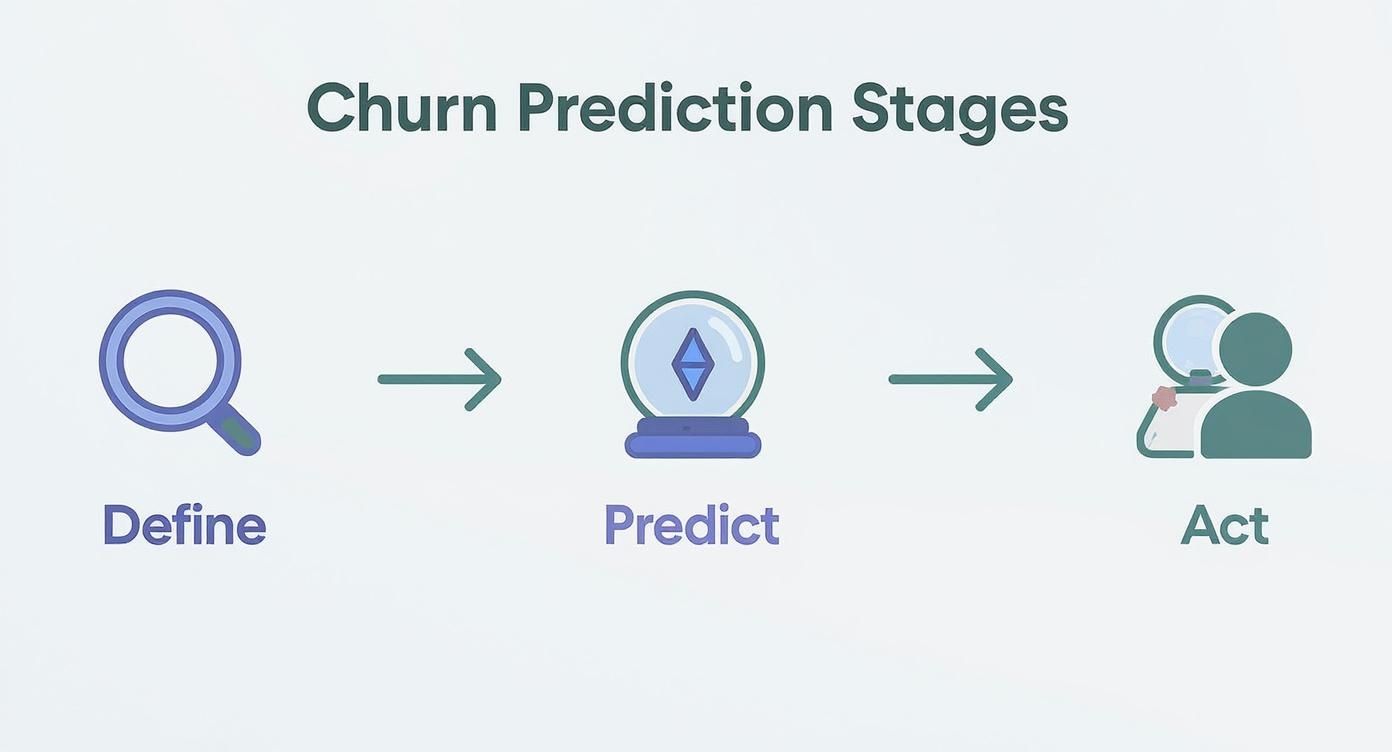
As the infographic shows, predicting churn isn’t a linear path. It’s a loop. The actions your team takes based on the predictions will generate new data, which in turn helps you refine your definition of churn and build an even smarter model next time.
And this isn’t just a niche strategy anymore. The market for customer churn software was valued at $1.5 billion in 2023 and is expected to skyrocket to $4.8 billion by 2032, growing at a 13.7% clip each year. You can dive into a full report on the churn software market to see the trends for yourself. This boom proves that companies are waking up and investing serious money to get ahead of customer churn.
Building Your Data Foundation for Churn Prediction
Any churn prediction model is only as good as the data it’s fed. It’s that simple. Think of it as the foundation of a house—if it’s shaky, everything you build on top will eventually come crumbling down. This is where the real work happens, long before you even think about algorithms.
The goal here is to create a true 360-degree view of your customer. This isn’t just about hoovering up every data point you can get your hands on. It’s about being strategic and collecting the right data that tells a story about who your customers are, how they’re using your product, and the state of their commercial relationship with you.
Pinpointing Your Core Data Sources
To get started, let’s zero in on three critical data buckets. Each offers a different piece of the puzzle, and when you put them together, you get a much clearer picture of churn risk.
- CRM Data (e.g., Salesforce): This is your command center for the customer relationship. It’s packed with firmographic details like company size, industry, and contract value. But just as important is the interaction data—think support ticket volume and sentiment, or the frequency of check-ins with your customer success team.
- Product Usage Data: This is where you see what customers do, not just what they say. How often are they logging in? Are they digging into the sticky features that drive real value? A sudden nosedive in activity or the failure to adopt a powerful new feature can be a massive red flag.
- Billing and Subscription Data: Don’t sleep on the financial data from systems like Stripe or Zuora. This gives you the ground truth on plan history, upgrades, downgrades, and payment issues. A customer who consistently pays late might be signaling deeper problems than just a cash flow issue.
I’ve seen teams make the mistake of relying almost entirely on product usage data. A customer might be logging in daily, but if they have a dozen furious support tickets festering in Salesforce, you’re flying blind. Without that CRM context, you’re missing a huge part of the story.
Engineering a Resilient Data Pipeline
Once you’ve identified your data sources, the next hurdle is getting all that information into one place, cleaned up, and ready for your model. This is where solid data engineering is non-negotiable. You need a reliable pipeline to pull data from all these disparate systems into a central data warehouse for processing.
Let’s walk through what a modern, real-world pipeline for this looks like.
A Real-World Pipeline Example
Picture this: your customer relationship data is in Salesforce, and your product usage is tracked in a production database. We need to get it all into Snowflake, our data warehouse.

Here’s how we’d tackle it:
- Capture Changes in Real-Time: Forget slow, nightly batch jobs. We use Change Data Capture (CDC). A tool like Fivetran or Airbyte constantly watches your source systems. The moment a contact is updated in Salesforce or a user’s last login changes, CDC grabs it.
- Stream Data to Snowflake: That change is then streamed into a raw landing zone in Snowflake, often within minutes. This means your data warehouse is always a fresh, near real-time mirror of your operational systems.
- Transform and Clean with dbt: Raw data is messy and not ready for a machine learning model. This is where dbt (Data Build Tool) is a game-changer. Using simple SQL, your team can write version-controlled “models” that clean, join, and aggregate the raw data into pristine, analysis-ready tables. For example, a dbt model might create a final
dim_customerstable that combines Salesforce account info with key product metrics likemonthly_active_usersandlast_login_date.
This modern data stack—CDC for ingestion, Snowflake for storage, and dbt for transformation—is more than just efficient. It creates a robust, testable, and maintainable foundation that a critical business process like churn prediction absolutely requires. Nailing this setup not only powers your churn model but also unlocks countless other analytics opportunities. If you’re looking to go even further, you can see how this foundation supports other initiatives in our guide to B2B data enrichment strategies.
Crafting and Validating Your Churn Model
Alright, with our data foundation solid and reliable, we can get to the fun part: building the actual churn prediction model. This is where we turn all that raw data into something that can intelligently predict the future. Don’t worry, you don’t need a Ph.D. in data science for this—it’s really about being creative and laser-focused on what actually drives your customers’ behavior.
It all starts with something called feature engineering. This is just a fancy way of saying we’re turning raw data points into meaningful predictive signals. For instance, a raw timestamp of a user’s last login isn’t all that useful by itself. But transform it into days_since_last_login, and suddenly you have a powerful feature that your model can actually learn from.

The real magic happens when you start blending data from different sources to create even richer features. Think about what a potential churn signal looks like in your business.
- Product Engagement: What about a
feature_adoption_rate? You could also tracksession_frequency_last_30_daysto see if usage is dropping off. - Customer Support Interaction: How about
avg_ticket_resolution_timeorrecent_support_ticket_volume? A sudden spike in support tickets from a single account is almost always a red flag. - Commercial Health: Simple things like
days_until_renewalor a flag forrecent_payment_failurescan be incredibly predictive.
These engineered features are the essential ingredients that will make or break your model’s performance.
Choosing the Right Machine Learning Model
Once you’ve cooked up a strong set of features, it’s time to pick an algorithm to train your model. There are a handful of popular choices out there, and each comes with its own pros and cons. My advice? Start simple and build from there.
The best model isn’t always the most complicated one. A model that your business teams can actually understand and trust is often way more valuable than a “black box” that gets slightly higher accuracy.
It’s also important to have a sense of what “normal” looks like. Churn rates can vary wildly. The financial services industry might see a churn rate around 19%, while some consumer goods sectors can see that number jump to 40%. Knowing these benchmarks helps you understand your own model’s performance and the specific behaviors you need to catch. You can explore more industry-specific churn statistics to see how you stack up.
To help you choose, here’s a head-to-head look at the most common models used for predicting churn.
Comparing Common Churn Prediction Models
| Model Type | Pros | Cons | Best For |
|---|---|---|---|
| Logistic Regression | Simple to implement, highly interpretable, and fast to train. | May not capture complex, non-linear relationships in the data. | Establishing a solid baseline model; situations where you need to explain why a customer is at risk. |
| Random Forest | Handles complex data and non-linearities well. Less prone to overfitting than a single decision tree. | Can be a bit of a “black box,” making it harder to interpret individual predictions. | Cases where you need higher accuracy and have a rich, diverse set of features to work with. |
| Gradient Boosting (XGBoost) | Often delivers the highest accuracy; it’s a powerful and flexible algorithm. | Slower to train, can be complex to tune, and is even less interpretable than Random Forest. | Teams aiming for top-tier performance where every single percentage point of accuracy matters. |
Seriously, start with Logistic Regression. It’ll give you a great baseline and, more importantly, it forces you to focus on creating high-quality features, which is where the real value is. Once you have that, you can always experiment with something more complex like XGBoost to see if you can squeeze out a meaningful performance boost.
Moving Beyond Simple Accuracy
So, how do you even know if your model is any good? Most people jump straight to accuracy, but for a churn problem, that metric can be dangerously misleading.
Imagine your company has a 2% monthly churn rate. A lazy model that just predicts no one will ever churn would be 98% accurate! But it would also be completely useless because it wouldn’t identify a single at-risk customer. This is why we need to look at more sophisticated metrics.
- Precision: Of all the customers your model flagged as “at-risk,” what percentage actually ended up churning? High precision means your customer success team isn’t wasting their time chasing down false alarms.
- Recall (or Sensitivity): Of all the customers who actually churned, what percentage did your model successfully catch? High recall means you aren’t letting at-risk customers slip through the cracks.
You’ll quickly find there’s a constant trade-off here. If you tune your model to catch every possible churner (high recall), you’ll probably end up flagging a lot of healthy customers, too (low precision). The goal is to strike the right balance for your business. Would you rather over-communicate with a few happy customers to ensure you catch every real risk? Or do you want to be absolutely certain that every alert your team gets is a five-alarm fire?
This kind of strategic thinking is common in any predictive modeling, and if you find this interesting, you might want to check out these different techniques for forecasting sales. By carefully validating your model with the right metrics, you ensure it delivers real, actionable value—not just a vanity score.
Putting Your Churn Predictions into Action
A brilliant model collecting dust on a server helps no one. The real magic happens when you get those predictions into the hands of the people who can actually do something about them—your customer success, sales, and RevOps teams. This is the crucial ‘last mile’ of your data project, and it’s where you’ll see a real return on all that hard work.
So, how do we do that? We need to build a rock-solid, automated system that runs on a schedule, scores customers, and pushes those insights directly into the tools your front-line teams use every single day. Without this production pipeline, your churn model is just an interesting academic exercise.
Building Your Production Pipeline
To make this happen, the entire process has to be automated. You’ll want your model to run on a regular cadence—daily or weekly usually makes the most sense—and ensure that data flows seamlessly from your warehouse into your customer-facing tools. This is where orchestration tools come in.
- Orchestration with DAGs: Tools like Apache Airflow or Dagster are perfect for this. They let you map out your entire workflow as a Directed Acyclic Graph (DAG), which is just a fancy way of saying you can schedule your data transformations, model scoring, and data-pushing steps to run in a specific, dependent order.
- Reliability and Monitoring: An orchestrator also gives you mission-critical monitoring and alerting. If a step in your pipeline fails—maybe the connection to your CRM times out—the system can automatically retry or ping your data team. This makes sure your churn scores are always fresh and reliable.
Getting this right is a big deal, and it’s a huge part of a growing trend. The market for customer churn analysis was recently valued at USD 2.9 billion and is projected to skyrocket to USD 5.3 billion by 2033, growing at a blistering 16.1% annually. That growth is being driven by companies putting these exact kinds of AI-driven retention systems into practice.
A model that only runs on an analyst’s laptop is a liability. A model that runs on a schedule as part of an orchestrated, monitored pipeline is a true business asset. Your goal should be to make your churn predictions as dependable as your weekly sales report.
Closing the Loop with Reverse ETL
The real game-changer is “closing the loop”—getting the model’s outputs out of the data warehouse and into the operational tools your teams live in. The best way I’ve found to do this is with a Reverse ETL tool.
Platforms like Census or Hightouch are built for this. They act as a bridge, syncing data from your warehouse (like Snowflake) directly to your go-to-market tools (like Salesforce). Suddenly, your customer success managers (CSMs) don’t have to log into a separate dashboard to see who’s at risk. The score appears right on the account record they’re already looking at.
Imagine a CSM starting their day and seeing a new view in their Salesforce dashboard: “My High-Risk Accounts.”
- A custom field for
Churn_Risk_Score(from 0 to 100) is now right there on every account page. - Another field,
Churn_Risk_Reason, could even list the top factors the model flagged, like “low_product_usage,” “high_support_tickets,” or “key_contact_changed.”
This instantly turns a passive number into an actionable insight. Your team now has a prioritized list of who to call and, just as important, what to talk to them about. This kind of integration is fundamental to achieving the key goals of a well-structured CRM: making customer data truly useful for revenue teams.
Triggering Real-Time, Proactive Workflows
Once that churn score is in your CRM, you can start building some really powerful, automated workflows around it. This is how you transform a predictive model into a dynamic, revenue-saving business process that actually scales.
You can set up automation rules that kick off specific actions when an account’s risk score crosses a certain line. For example, if a high-value account’s score jumps above 75:
- Create a Task in Salesforce: Automatically assign a “Proactive Health Check” task directly to the account owner.
- Send a Slack Notification: Use a webhook to push an alert to a dedicated
#churn-alertschannel, tagging the CSM and their manager for immediate visibility. - Enroll in a Nurture Sequence: Add the primary contact to a specialized email sequence in a tool like HubSpot or Marketo, offering relevant training or a quick link to book time with their CSM.
By setting up these automated triggers, you’re no longer just predicting churn; you’re building a system that actively works to prevent it. You’re giving your team the power to step in at the perfect moment, armed with the data they need to have a meaningful, value-driven conversation. This is how a data project goes from being interesting to being indispensable.
Keeping Your Churn Prediction System Healthy
Getting your churn prediction system up and running is a huge win, but it’s just the beginning. The moment your model goes live, it starts to age. Customer behaviors change, your product gets new features, and the market never sits still. What was a killer predictive signal six months ago might be noise today. This is where the real work begins.

Long-term success means treating your churn model not as a one-and-done project, but as a living system. It needs regular check-ups and maintenance to stay effective. That involves monitoring performance, knowing when to retrain it, and building data pipelines that won’t shatter at the first sign of change.
Spotting and Combating Model Drift
The biggest silent killer of any predictive system is model drift. This happens when the world your model was trained on no longer matches the world it’s predicting for. The model’s understanding becomes stale, and its accuracy slowly erodes.
For example, imagine a new competitor pops up and starts poaching customers with a feature you don’t have. Suddenly, you have a new churn driver your model has never seen before. Or maybe your product team ships a massive UI overhaul that changes how everyone uses the app. If you don’t keep the model updated, its predictions will get less and less reliable, leaving your RevOps team chasing ghosts or missing genuine at-risk accounts.
You can catch drift by keeping a close eye on your key metrics:
- Prediction Accuracy: Is your overall hit rate going down?
- Precision and Recall: Are you flagging more happy customers by mistake (lower precision) or missing more of the customers who actually leave (lower recall)?
- Feature Distribution: Has something fundamental shifted in the data itself? For example, has the average
days_since_last_loginfor your active users suddenly jumped?
Don’t wait for the model to completely fall apart. Set up automated dashboards or alerts that track these metrics weekly or monthly. A slow, creeping decline in performance is the classic sign of model drift.
Knowing When It’s Time to Retrain
Retraining shouldn’t be a random event. If you do it too often, you can waste a ton of compute resources and risk overfitting on short-term noise. But if you wait too long, you’re letting model drift run wild.
Here’s a practical framework I’ve seen work well:
- Time-Based Schedule: The simplest approach is retraining on a fixed schedule, like every quarter. This is a great baseline because it ensures the model is regularly refreshed with new data, capturing seasonality and other recent trends.
- Performance Thresholds: Get more sophisticated by setting up automated triggers. For example, if your model’s recall drops below 70% for two weeks straight, a pipeline automatically kicks off a retraining job. This is a much more responsive approach.
- Significant Business Events: Sometimes you know a change is coming. Manually trigger a retraining cycle after major events like a pricing model overhaul, the launch of a game-changing feature, or a strategic pivot to a new customer segment.
Making Your Data Pipelines Resilient
Your model is only as good as the data pipeline feeding it. One of the most common points of failure I see is a schema change. All it takes is a well-meaning admin in Salesforce renaming a field or a product team adding a new event, and your entire system can grind to a halt.
To prevent this, you need to build resilience into your data engineering. Your dbt models, for instance, should never use SELECT *. Instead, explicitly name the columns you need. This way, if a new, unexpected column appears, your pipeline won’t break. You can also add automated data quality tests using tools like Great Expectations to catch schema changes before they poison your production jobs.
Finally, you need to give the teams on the front lines a clear plan. A simple runbook for your RevOps or Customer Success teams is non-negotiable. It should be a living document that tells them exactly what to do when an account is flagged.
| Risk Score | Action to Take | Who to Notify |
|---|---|---|
| High (75-100) | Immediate personal outreach call from the CSM. Review recent support tickets and usage. | CSM & CSM Manager |
| Medium (50-74) | Enroll in a targeted re-engagement email sequence. Schedule a check-in call within 7 days. | CSM |
| Low (25-49) | Monitor usage weekly. Ensure they are invited to the next customer webinar. | Automated System |
We Get These Questions All the Time
Even with the best plan, diving into churn prediction always kicks up a lot of questions. It’s one of those projects where you’re constantly weighing tricky trade-offs and hitting practical roadblocks. Let’s walk through some of the most common questions I hear from teams who are just getting started.
How Much Historical Data Do We Really Need?
Everyone thinks they need years and years of data, but that’s not always true. A good rule of thumb is to start with 12-18 months of history. That’s usually enough to see seasonal trends, capture different phases of the customer journey, and spot meaningful patterns in behavior.
But honestly, the real secret is quality over quantity. I’d take six months of clean, reliable data over five years of messy, inconsistent records any day. Start with a dataset you can actually trust, and you can always expand it later.
Can We Do This Without Hiring a Data Scientist?
Absolutely. This is becoming way more common. With modern data platforms and a whole ecosystem of auto-ML tools, a lot of the heavy lifting that used to require a specialist can now be handled by a savvy data analyst or a technical RevOps pro.
The key is to not over-engineer it from the start. A simple logistic regression model is often a fantastic starting point. Your first priority should be getting the data pipeline right and building a solid feedback loop with your customer-facing teams. The fancy modeling can come later.
What’s the Single Biggest Mistake People Make?
Hands down, the biggest mistake is treating churn prediction like it’s just a data science project. I’ve seen teams build models with 95% accuracy that were completely worthless in practice. Why? Because the customer success team didn’t trust the scores, couldn’t interpret the outputs, or had no clear playbook for what to do with the alerts.
You simply can’t build a model in a silo, throw the scores over the fence, and expect magic to happen. Success lives and dies by the partnership between your data teams and your GTM teams (RevOps, CS, Sales). If they aren’t collaborating from day one, you’re not building a business process—you’re just running a cool science experiment.
How Do We Actually Measure the ROI on This?
Measuring the return on investment for predicting customer churn isn’t about fuzzy math; it’s about tracking concrete results. You need a clear baseline to prove you’re making a difference.
Here’s a straightforward way to tackle it:
- Set Your Baseline: Before you launch anything, calculate your current churn rate. This is the number you need to beat.
- Track Your Interventions: Once the system is live, zoom in on the retention rate for the specific group of “at-risk” customers your team actively engages with based on the model’s alerts.
- Run an A/B Test (The Gold Standard): If you really want undeniable proof, split your at-risk customers into two groups. Give the alerts to your CS team for one group, but hold them back for the other (the control group) for a set period.
The difference in retained revenue between the group that got the intervention and the one that didn’t is your ROI. It’s a powerful, undeniable metric that proves the value of your work.
Building and maintaining these systems requires real engineering. At RevOps JET, we provide technical revenue operations on demand, building the production-grade data pipelines and custom code needed to make your churn prediction system a reality. Learn how we can help you save engineering hours and drive retention.